 SIM Data Usage: Why Your GPS Tracker Went Offline
When a GPS tracker stops sending location updates, fleet managers can quickly lose visibility into their vehicles and equipment. Vehicles may disappear from the live map, trip records may become incomplete, and important activity can go unnoticed. Although a malfunctioning device is one possible explanation, the issue may actually involve the SIM card or its cellular connection.
GPS tracking devices depend on two different technologies to provide consistent location information. Satellite signals allow a device to calculate its position, while a cellular connection sends that information to a tracking platform. When the cellular connection is interrupted, the device may continue determining its location without being able to report it.
Understanding how SIM cards and mobile data work in GPS tracking systems can help fleet operators identify connectivity problems, manage data consumption, and avoid unnecessary equipment replacements.
How Do SIM Cards Work in GPS Tracking Devices?
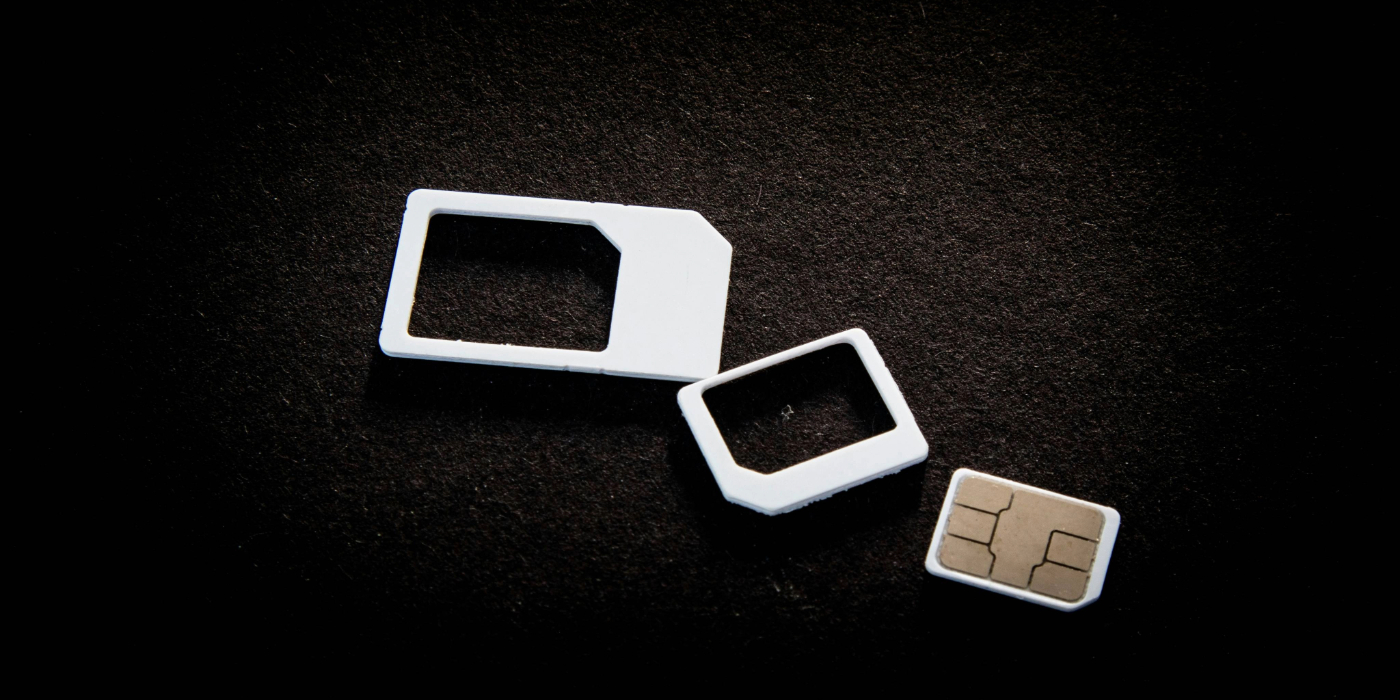
Most cellular GPS tracking devices contain a SIM card that allows them to communicate with mobile networks. This connection is what enables location information to travel from the tracking device to the software used by fleet managers.
The process typically involves three stages:
- GPS positioning: The tracking device receives satellite signals and calculates its current location.
- Cellular communication: The device uses its SIM card to transmit location information and other recorded data through a mobile network.
- Platform reporting: The tracking software receives the information and displays vehicle locations, trip history, and other available details.
GPS positioning and cellular communication are separate processes. A tracker can receive satellite signals and calculate its position without having an active cellular connection. However, without a way to transmit that information, fleet managers may not receive updated locations.
Some tracking devices also have internal memory that allows them to retain location records while offline. Depending on the model, previously collected information may be uploaded once the cellular connection is restored.
How Much Mobile Data Does a GPS Tracker Consume?
Compared with smartphones, GPS tracking devices generally transmit relatively small amounts of information. However, their actual data requirements depend on how frequently they communicate and which features are enabled.
Several factors can influence the amount of mobile data a tracking device consumes:
- Location reporting intervals: Devices configured to send frequent updates typically use more data than those reporting at longer intervals.
- Vehicle activity: Some trackers adjust their reporting frequency depending on whether a vehicle is moving, idling, or parked.
- Event notifications: Speeding alerts, ignition changes, harsh braking, and other recorded events can generate additional transmissions.
- Additional device features: Diagnostic reporting, connected sensors, and other monitoring capabilities may increase communication activity.
- Network connectivity: Repeated connection attempts and interrupted communications may also affect how a device uses its data allowance.
For instance, a tracking device configured to report a vehicle’s position every few seconds will generally communicate more frequently than one configured to report every several minutes.
Fleet operators should review actual SIM consumption and compare it with device configurations to determine appropriate data requirements. A tracking provider or cellular service provider may also be able to supply usage records for individual SIM cards.

Why Has Your GPS Tracker Stopped Reporting?
When a device suddenly disappears from the tracking platform, there are several possible explanations. A SIM-related issue is worth investigating, but it is important to consider other potential causes before assuming the equipment has failed.
1. The SIM Card Has Used Its Available Data
One possible reason for a tracking interruption is that the SIM card has reached its monthly data allowance.
Depending on the cellular provider and service agreement, reaching the limit may cause additional charges, reduced service, or a temporary suspension of data connectivity.
When the device cannot access mobile data, it may no longer be able to send location updates to the tracking platform, even if it continues receiving GPS signals.
Review the SIM card’s current consumption and compare it with the amount included in the service plan. If usage has increased unexpectedly, investigate reporting intervals and enabled features before moving to a higher data allowance.
2. The SIM Card or Subscription Has Been Deactivated
An inactive SIM card or expired service plan can also prevent a GPS tracker from communicating.
Possible causes include:
- An expired subscription or service agreement.
- An unpaid cellular service bill.
- A suspended or deactivated SIM card.
- A SIM replacement that was not properly activated.
- An account restriction placed by the cellular provider.
Confirm that the SIM is active and that its service plan includes mobile data. If the account is managed by a third-party provider, check for billing issues or service restrictions.
3. The Device Is Outside Cellular Coverage
GPS satellite signals are available across much of the country, but cellular network coverage varies by location.
A vehicle traveling through remote highways, rural communities, mountainous terrain, or underground parking facilities may experience limited cellular reception. The tracking device may continue calculating its position, but it cannot send that information until it reconnects to a supported network.
This can be particularly relevant for fleets operating across large geographic areas, including long-distance trucking operations and businesses with vehicles traveling between urban centers and remote job sites.
The FCC National Broadband Map allows users to examine reported mobile broadband coverage from cellular providers across the United States. Its coverage information can help fleet operators investigate potential connectivity limitations, although actual reception may differ depending on the vehicle, surrounding terrain, and network conditions.
4. Roaming or Network Access Is Unavailable
Some GPS tracking devices can connect to multiple cellular networks, while others depend on specific network agreements.
When a vehicle travels outside its primary network’s coverage area, the SIM may need permission to connect through another provider. If roaming is unavailable, restricted, or not included in the service plan, the tracker may lose its connection.
Network compatibility can also become a problem when cellular providers update their infrastructure or discontinue older network technologies.
Businesses operating across multiple states should confirm that their tracking devices and SIM plans support the cellular networks available throughout their operating areas. Companies with cross-border routes should also verify that their service plans accommodate international roaming where required.
5. Incorrect APN or Network Settings
An Access Point Name (APN) is a configuration that allows a cellular device to connect to its provider’s mobile data network.
If these settings are incorrect, missing, or changed, the GPS tracker may be unable to establish a data connection. This can happen after replacing a SIM card, changing cellular providers, or modifying device configurations.
An active SIM with an available data allowance will not necessarily work if the device cannot connect using the correct network settings.
Fleet operators should obtain the appropriate APN information from their cellular or tracking provider rather than relying on generic configurations.
6. The Tracking Device Has Lost Power
A device that has stopped reporting may also have an electrical or battery-related problem.
Hardwired vehicle trackers depend on a consistent power connection. Loose wiring, damaged connections, blown fuses, or interruptions to the vehicle’s electrical system can prevent communication.
Battery-powered asset tracking devices have different requirements and may stop reporting when their batteries become depleted or their power-saving settings are activated.
Before investigating the SIM card, verify that the device is receiving power. Check its status indicators and follow the manufacturer’s instructions when inspecting the equipment.
How to Troubleshoot a GPS Tracker That Has Gone Offline
Before replacing a tracking device or SIM card, fleet managers can follow several steps to identify the likely source of the problem.
Step 1: Review the Last Reported Location
Start by checking the last communication timestamp in the tracking platform. Determine when the device stopped sending information and whether other vehicles experienced similar interruptions.
If multiple devices went offline simultaneously, the issue could involve a broader network or service problem. If only one tracker is affected, investigate its individual installation and cellular connection.
Step 2: Verify SIM Activation and Data Availability
Confirm that the SIM card is active and that its service plan has not expired or been suspended. Review its remaining data allowance and recent consumption history.
If the SIM has reached its limit, contact the service provider to determine how connectivity can be restored.
Step 3: Investigate Cellular Coverage
Consider where the vehicle was located when its last update was received. Remote roads, underground facilities, and locations with limited network infrastructure may prevent reliable cellular communication.
Check whether the device resumes reporting after the vehicle enters an area with stronger reception.
Step 4: Inspect the Device’s Power Supply
Review the device’s power connection, wiring, fuse, or battery condition, depending on the type of tracker installed.
Check the manufacturer’s status indicators and diagnostic instructions to determine whether the device is functioning normally.
Step 5: Check APN and Network Configuration
If the tracker has power and the SIM is active, verify that its cellular settings match the requirements of the service provider.
An incorrect APN or unsupported network connection can prevent the device from transmitting information.
Step 6: Contact Your Tracking Provider
If the previous checks do not resolve the issue, contact your GPS tracking provider for additional assistance.
Provide the device identifier, last reported timestamp, SIM status, and any diagnostic information available. The provider may be able to identify whether the problem involves the cellular connection, configuration, service plan, or hardware.
Avoid performing unnecessary factory resets or replacing equipment before documenting the existing settings and diagnostic information. This can make it more difficult to determine what originally caused the interruption.

How to Reduce Unexpected SIM Data Usage
Preventing connectivity problems is just as important as resolving them. Fleet operators can take several measures to manage mobile data consumption and maintain consistent communication across their tracking devices.
- Adjust location reporting intervals: Configure reporting frequency according to operational requirements. More frequent updates provide greater location visibility but can increase data consumption.
- Monitor SIM card activity: Regularly review data usage and enable consumption alerts where supported by the cellular provider.
- Select appropriate data plans: Make sure each SIM has sufficient capacity for the device’s reporting frequency and enabled features.
- Verify network compatibility: Confirm that tracking hardware and SIM cards support the cellular networks available throughout the fleet’s operating areas.
- Review offline notifications: Use available platform alerts to identify devices that have stopped communicating.
- Check device configurations: Review changes to reporting settings, connected features, and other configurations that could increase data consumption.
- Maintain device installations: Inspect power connections, wiring, and batteries where appropriate to prevent avoidable communication interruptions.
Monitoring these factors can help businesses identify unusual data usage and address connectivity problems before they significantly affect fleet visibility.
Maintain Reliable GPS Tracking Across Your Fleet
When a GPS tracking device stops sending updates, the problem is not necessarily a hardware failure. An exhausted data allowance, inactive SIM card, cellular coverage limitation, or incorrect network configuration can all interrupt communication.
Understanding the relationship between GPS positioning and cellular data transmission gives fleet managers a better starting point for troubleshooting. Monitoring SIM consumption, maintaining active service plans, and reviewing device communication can help reduce unexpected interruptions.
Whether you manage a few company vehicles or a large commercial fleet, reliable connectivity is an important part of maintaining accurate location visibility.
Need help with your fleet’s GPS tracking requirements? Contact us to learn more about available tracking solutions and how to maintain consistent reporting across your vehicles and assets.
Frequently Asked Questions
How much mobile data does a GPS tracking device typically use?
Data consumption varies depending on the tracking device, reporting intervals, and enabled features. A tracker sending frequent location updates or diagnostic information will generally require more data than one configured for less frequent communication. Reviewing actual SIM usage is the best way to determine the data requirements for your fleet.
Why did my GPS tracker suddenly stop sending location updates?
A tracking device may stop communicating because its SIM card has reached its data limit, its cellular service has been suspended, or it has entered an area with limited network coverage. Power interruptions, incorrect APN settings, and hardware problems can also prevent updates from reaching the tracking platform.
Can a GPS tracking device function without a SIM card?
A GPS receiver can still calculate its position without a SIM card because it receives location information from satellites. However, most cellular tracking devices require a SIM or another supported communication method to send that information to a tracking platform. Without connectivity, remote location updates generally cannot be delivered.
Does a GPS tracker consume data when a vehicle is not moving?
Yes. Some GPS trackers continue transmitting information while a vehicle is parked. Depending on their configuration, they may send periodic location updates, battery information, ignition status, or other recorded events. Devices with sleep modes or reduced reporting settings may use less data during periods of inactivity.
What happens if a GPS tracker's SIM card runs out of data?
The outcome depends on the cellular provider and service agreement. Data service may be suspended, restricted, or subject to additional charges once the allowance is exhausted. Without an active data connection, the tracking device may stop sending new information until service is restored.
Can GPS trackers continue recording information without cellular coverage?
Some tracking devices can continue calculating and storing location information when they temporarily lose cellular connectivity. Depending on the model, stored records may be uploaded when the device reconnects to a supported network. However, the ability to retain offline information varies, and live tracking updates will generally be unavailable during the interruption.
What is the difference between GPS reception and cellular connectivity?
GPS reception allows a tracking device to calculate its position using signals from navigation satellites. Cellular connectivity allows the device to transmit that information to a tracking platform through a mobile network. A tracker can maintain satellite reception while being unable to report its location because of a cellular connection problem.
Can weak cell service cause my GPS tracker to appear offline?
Yes. A GPS tracker may stop reporting when a vehicle enters an area with poor or unavailable cellular reception. This can occur in remote areas, underground parking garages, mountainous regions, or locations with limited network infrastructure. The device may resume sending updates once it reconnects to a compatible network.
How do I check the SIM data consumption of my GPS tracker?
SIM usage information is generally available through the cellular provider’s account portal or by requesting consumption records directly from the provider. Some tracking platforms also provide device communication details and diagnostic information. Comparing usage across billing periods can help identify unexpected increases.
What can cause a GPS tracker's SIM card to use more data than expected?
Higher consumption can result from more frequent location updates, additional monitoring features, diagnostic transmissions, and repeated attempts to reconnect to a cellular network. Changes to device settings can also affect usage. Reviewing reporting frequency and enabled features can help determine why a tracker is consuming more data.
Does more frequent GPS reporting increase cellular data usage?
Generally, yes. A device that transmits its location every few seconds communicates more often than one reporting every few minutes. Although frequent updates can provide greater visibility into vehicle movements, they can also increase data consumption. Reporting intervals should reflect the fleet’s operational needs and available data allowance.
Can GPS trackers save location history while they are offline?
Certain tracking devices have internal memory that allows them to retain location records when cellular communication is interrupted. They may transmit the stored information after reconnecting to a supported network. Storage capacity, retention periods, and upload capabilities depend on the tracking device and its configuration.
What does APN mean in GPS tracking?
APN stands for Access Point Name. It is a network configuration that allows a cellular device to establish a mobile data connection through its provider. If the APN information is incorrect or missing, a GPS tracker may be unable to transmit information even when the SIM card is active.
Does GPS tracking work throughout the United States?
GPS positioning is available across most areas of the United States where satellite signals can be received. However, transmitting location information depends on cellular network availability and device compatibility. Coverage can vary between cities, rural communities, remote highways, and other operating environments.
Do GPS trackers require cellular roaming when traveling between states?
Not necessarily. Traveling between states does not automatically require roaming when the SIM uses a compatible network with coverage in those locations. However, some devices rely on specific carrier arrangements or network agreements. Fleet operators should confirm their SIM coverage and roaming requirements with their service provider, particularly when operating across international borders.
Can an inactive or damaged SIM card prevent a GPS tracker from working?
Yes. A deactivated SIM, suspended service plan, damaged card, or improperly installed SIM can prevent a tracker from establishing a cellular connection. Verifying the card’s activation status and service availability is a useful first troubleshooting step before considering a device replacement.
How can I determine whether my GPS tracker has a cellular issue or a power problem?
Start by checking the tracker’s last reported timestamp, status indicators, and power supply. A device without power cannot communicate with the network. If it is receiving power but still cannot transmit information, investigate the SIM card, data allowance, cellular reception, and network configuration. Manufacturer diagnostics or assistance from your tracking provider can help identify the cause.
How can fleet managers avoid interruptions caused by SIM data limits?
Fleet operators can reduce the risk of service interruptions by selecting suitable data plans, reviewing SIM consumption, and monitoring account status. Adjusting reporting intervals and using available data alerts can also help identify unusual consumption before it becomes a problem. Regular checks can support more consistent communication across the fleet.
Will a GPS tracker reconnect automatically after losing cellular coverage?
Many cellular GPS tracking devices are designed to reconnect when a supported network becomes available. However, automatic reconnection may not resolve issues involving inactive SIM cards, exhausted data allowances, or incorrect network settings. If the device does not resume reporting after returning to a coverage area, additional troubleshooting may be necessary.
When should I contact my GPS tracking provider about an offline tracker?
Contact your tracking provider if the device remains offline after checking its power supply, cellular coverage, SIM activation, and data allowance. Share the device identifier, last communication timestamp, and any available diagnostic information. Your provider can help determine whether the interruption is related to cellular service, network settings, or the tracking hardware.