 Geotab OEM Integration for GM: Fleet Tracking Without Additional Hardware
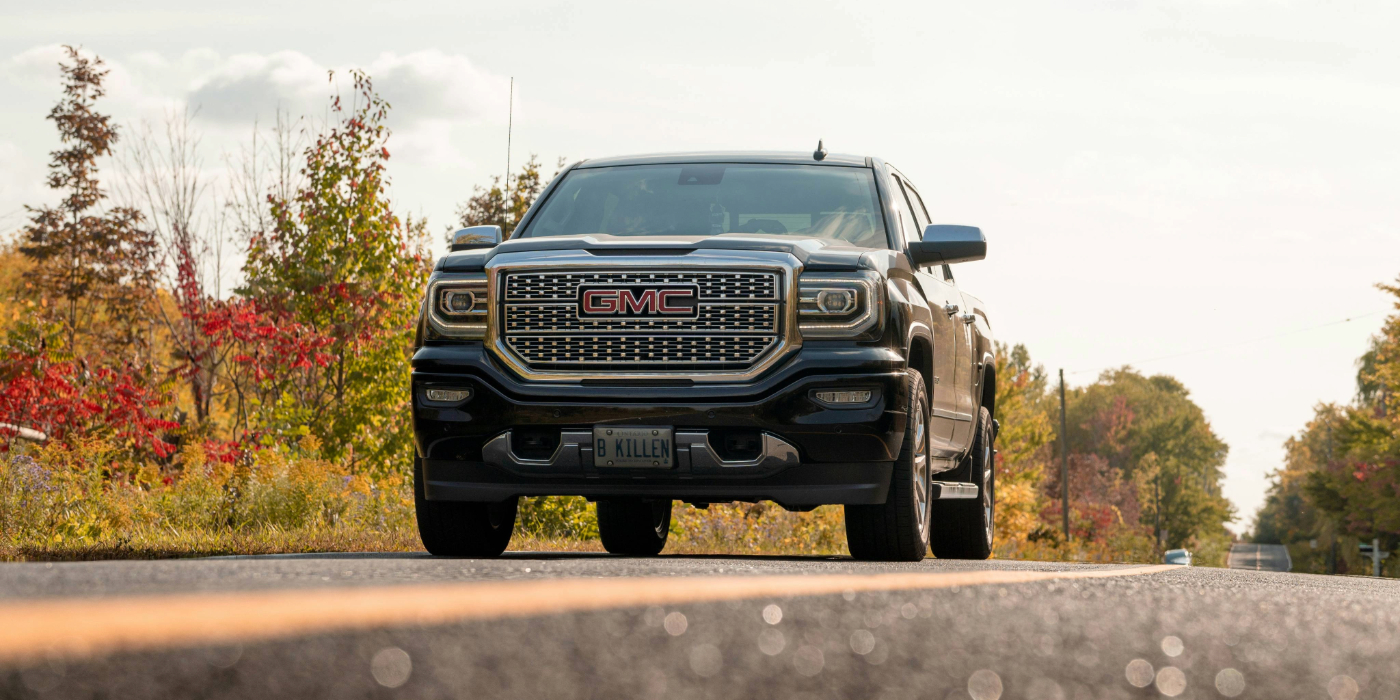
For businesses operating Chevrolet, GMC, Buick or Cadillac vehicles, fleet tracking may not require installing another device. Many compatible GM vehicles already have embedded OnStar telematics hardware that can communicate directly with Geotab.
Through the Geotab Integrated Solution for GM, businesses can access vehicle information through MyGeotab without installing a separate plug-in tracking device. This makes it easier to bring eligible vehicles into a fleet management system without scheduling hardware installations or taking vehicles out of service.
Here’s how GM OEM integration works in the United States, what fleet managers can monitor, and when a traditional Geotab tracking device may still be the better option.
What Is Geotab OEM Integration for GM?
Geotab’s Integrated Solution for GM connects compatible General Motors vehicles to its fleet management platform using their existing factory-installed OnStar connectivity.
Instead of relying on a separate aftermarket telematics device, the solution uses the vehicle’s built-in hardware to collect and transmit information to Geotab. Once the connection is authorized and activated, fleet managers can access supported vehicle data through MyGeotab.
The integration supports eligible Chevrolet, GMC, Buick and Cadillac vehicles, allowing businesses to incorporate their GM vehicles into the same platform they use to manage other connected vehicles.
How Does GM OEM Integration Work?
Connecting a compatible GM vehicle to MyGeotab involves a few steps:
- Check vehicle eligibility. Most 2015-and-newer GM models may qualify, provided they have compatible factory-installed OnStar hardware. Eligibility must be confirmed through the vehicle identification number (VIN) and GM validation. Vehicles must also be associated with a valid Fleet Account Number (FAN).
- Complete the authorization process. The fleet must accept the required GM data agreement and verify that its vehicles are associated with the correct Fleet Account Number. Some vehicles may require an additional OnStar Blue Button Key Press to authorize data sharing.
- Register the vehicles in MyGeotab. Once the necessary approvals are complete, the vehicles can be registered using their VINs and assigned Geotab serial numbers. The appropriate Fleet Account Number and vehicle information are then provided to authorize data transmission.
- Access vehicle information. After activation, supported telematics data begins appearing in MyGeotab. It can take up to 24 hours for vehicle information to become available after the activation process is completed.
Because the telematics hardware is already installed at the factory, there is no need to ship and physically install a separate tracking device in each eligible vehicle.
Why Businesses Choose Geotab GM Integration
Simpler fleet deployment. Removing the need for individual device installations can make it easier to connect large numbers of compatible vehicles. Businesses that frequently purchase or lease new GM vehicles can also streamline the process of adding them to their fleet management system.
Reduced installation requirements. Without additional plug-in tracking hardware, fleets can reduce installation labor and avoid maintaining another physical device in every vehicle. There is also no aftermarket unit for drivers to accidentally unplug or disconnect.
Centralized mixed-fleet management. Businesses often operate vehicles from several manufacturers. MyGeotab allows eligible GM vehicles to be managed alongside other OEM-connected vehicles and those equipped with Geotab GO devices, bringing fleet information together in one platform.
Flexible fleet monitoring. MyGeotab provides customizable dashboards, reporting tools, geofencing, notifications and vehicle performance information. Fleet managers can use these tools to monitor usage, identify operating patterns and make more informed decisions.
Driver safety insights. Available telematics information can help identify speeding, harsh acceleration, braking and seatbelt-related events. U.S. fleets can also consider the GM Premium + Driver Feedback plan, which provides additional in-vehicle coaching features for supported vehicles.
Business system integrations. Geotab provides API and SDK capabilities that allow businesses to connect fleet information with other software applications, reporting systems and operational tools.
Selected third-party applications and add-ons may also be available through the Geotab Marketplace, although access can vary by subscription plan.

What Vehicle Information Can You Monitor?
The Geotab GM integration provides access to a variety of vehicle data through MyGeotab. The exact information available depends on the vehicle, model year, supported equipment and subscription plan.
Common monitoring capabilities include:
- Vehicle location and trip history: Review GPS coordinates, previous trips and vehicle activity through MyGeotab.
- Engine performance: Access supported information such as engine hours, RPM, coolant temperature, ignition status and odometer readings.
- Vehicle diagnostics: Monitor check-engine alerts, engine fault codes and other available diagnostic information.
- Fuel information: Review total fuel consumption and available fuel-level data to better understand vehicle efficiency.
- Driver behaviour: Monitor speeding, harsh acceleration, harsh braking and seatbelt-related events through available fleet rules and reports.
- Electric vehicle information: Track battery charge percentage, charging status and charging energy for compatible GM electric vehicles.
The GM integration does not provide the same reporting frequency or live vehicle movement functionality as a Geotab GO device. GM Premium plans collect data at 30-second intervals and transmit it approximately every two minutes. Certain events occurring between reporting intervals may not appear in fleet reports.
Available features should be confirmed before activation, especially for fleets that depend on specific diagnostic information or driver monitoring capabilities.
When a Traditional Geotab Device Is Still the Better Choice
Although OEM integration offers a convenient way to connect compatible GM vehicles, it may not satisfy every fleet’s tracking requirements.
A traditional Geotab GO device may be more appropriate in several situations:
- Older or incompatible vehicles: Vehicles without supported factory-installed connectivity may require an aftermarket tracking device.
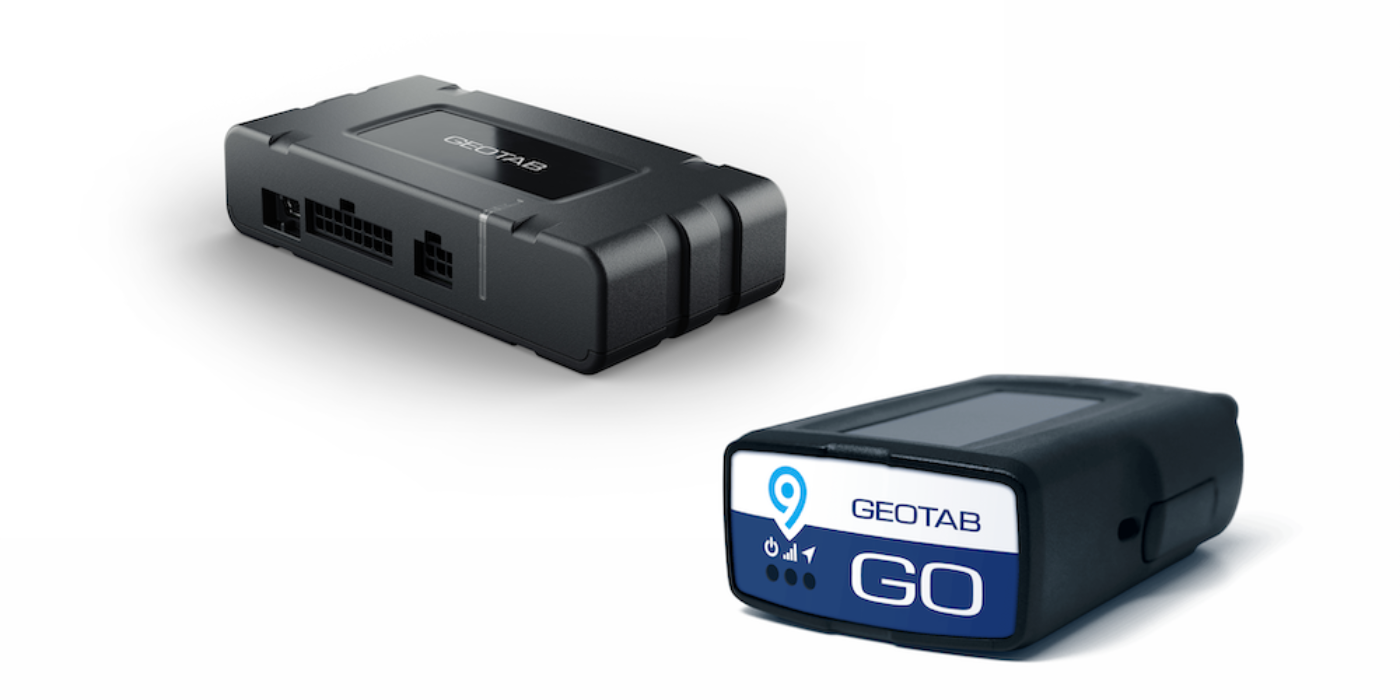
- More frequent location updates: GO devices support live vehicle movement on the map, making them a better fit for operations that need more immediate location information.
- Electronic logging requirements: Fleets that need U.S. Hours of Service (HOS) functionality and FMCSA ELD workflows should consider a compatible Geotab GO solution.
- Additional monitoring equipment: Operations that require auxiliary sensors, temperature monitoring, PTO detection or other specialized hardware integrations may benefit from a GO device and compatible accessories.
- Consistent fleet-wide functionality: Businesses operating several vehicle makes and models may prefer a solution that offers a more consistent set of telematics capabilities across their entire fleet.
The two approaches can also work together. Businesses can use OEM-connected GM vehicles while equipping other vehicles with Geotab GO devices, managing both through MyGeotab.
Is Geotab GM OEM Integration Right for Your Fleet?
Choosing between OEM integration and traditional tracking hardware depends on the vehicles you operate and the information you need.
Consider a few questions before deciding:
- How many Chevrolet, GMC, Buick or Cadillac vehicles are in your fleet?
- Are your vehicles new enough to qualify for the integration?
- Do you primarily need vehicle location, trip history and basic telematics information?
- Does your operation require more frequent location updates or advanced monitoring capabilities?
- Do you need ELD functionality, auxiliary sensors or other specialized fleet management features?
- Would managing OEM-connected vehicles and aftermarket tracking devices in one platform simplify your operations?
For businesses with a significant number of eligible GM vehicles, OEM integration can reduce installation requirements and simplify fleet onboarding. However, operations with more specialized tracking or compliance requirements may benefit from traditional telematics hardware.
Get Started with GPS Tracking America
GPS Tracking America helps businesses find fleet tracking solutions that match their vehicles, operations and monitoring requirements.
Whether your fleet needs GM OEM integration, traditional Geotab GO devices or a combination of both, we can help you evaluate available options and determine which approach makes the most sense.
Contact GPS Tracking America with your vehicle makes, model years and fleet requirements. Our team can help review compatibility, explain the activation process and identify the right Geotab solution for your business.
Frequently Asked Questions
What is the Geotab Integrated Solution for GM?
The Geotab Integrated Solution for GM connects eligible Chevrolet, GMC, Buick and Cadillac vehicles to the MyGeotab fleet management platform through their factory-installed OnStar telematics hardware. This allows businesses to access supported vehicle information, including location, trip history and engine data, without installing a separate aftermarket tracking device.
Which GM vehicle brands are compatible with Geotab OEM integration?
The integration supports eligible vehicles from four General Motors brands: Chevrolet, GMC, Buick and Cadillac. Compatible vehicles can transmit supported telematics information through their embedded OnStar connectivity, allowing fleet managers to monitor them through MyGeotab.
What model years of GM vehicles can use the integration?
Most 2015-and-newer GM vehicles may qualify for the integration. However, eligibility depends on the individual vehicle, its factory-installed OnStar equipment and GM validation. Checking the vehicle identification number (VIN) is necessary to determine whether a vehicle can be activated.
Do GM vehicles need an OnStar subscription for Geotab integration?
The solution uses the vehicle’s embedded OnStar telematics hardware and requires the appropriate GM fleet data authorization. Businesses must complete the required GM data agreement and activation process. Any additional vehicle or account requirements should be confirmed during the eligibility review.
Does the Geotab GM integration require a separate tracking device?
No additional physical tracking device is required for eligible GM vehicles. The integration uses the telematics equipment already installed by the manufacturer. This eliminates the need to connect an aftermarket device to the vehicle’s diagnostic port or arrange a separate hardware installation.
How does the Geotab GM OEM integration work?
Compatible GM vehicles use their embedded OnStar connectivity to collect and transmit supported vehicle information. After the fleet completes the GM authorization process and registers its vehicles with Geotab, the data becomes available through MyGeotab. Fleet managers can then review vehicle activity, configure notifications and generate reports.
What is a Fleet Account Number (FAN), and why is it required?
A Fleet Account Number (FAN) identifies a business’s fleet account with General Motors. It is used during the authorization process to confirm that the vehicles being connected belong to the correct fleet. The corresponding FAN and vehicle identification numbers must be provided so GM can authorize data sharing with Geotab.
How do I activate Geotab tracking on a compatible GM vehicle?
The activation process starts with checking the vehicle’s VIN to confirm eligibility. The business must then complete the required GM data agreement, verify that the vehicle is associated with its Fleet Account Number and complete any additional authorization steps requested by GM. Once registered, the VIN and assigned Geotab serial number are added to MyGeotab and the fleet’s account information is provided to authorize data transmission.
How long does it take for GM vehicle data to appear in MyGeotab?
After the necessary registration and authorization steps are completed, vehicle information can take up to 24 hours to appear in MyGeotab. The vehicle’s ignition may also need to be turned on to finalize the activation process. If data is still unavailable, the activation status and vehicle eligibility should be reviewed.
What vehicle information can I access through the GM integration?
Depending on the vehicle and subscription plan, MyGeotab can provide GPS coordinates, trip history, odometer readings, engine hours, RPM, ignition status, coolant temperature, fuel information and engine diagnostic data. Available safety-related information can also support monitoring of speeding, acceleration, braking and seatbelt usage.
Does Geotab GM integration provide real-time vehicle tracking?
The integration provides GPS location information and trip history, but it does not offer the same live vehicle movement functionality as a Geotab GO device. GM Premium plans collect data every 30 seconds and transmit it approximately every two minutes. Fleets that require live map updates and more frequent location reporting should consider a compatible GO device.
Can I monitor driver behavior with the GM integration?
Yes. MyGeotab can use supported vehicle data to identify speeding, harsh acceleration, harsh braking, seatbelt usage and other driving-related events. Fleet managers can configure rules, notifications and reports to identify trends and encourage safer driving practices. Additional in-vehicle coaching features are available through the GM Premium + Driver Feedback plan for supported U.S. vehicles.
Can Geotab track electric GM vehicles?
Yes. Eligible GM electric vehicles can be connected to MyGeotab through the integrated solution. Supported information includes battery state of charge, charging status and charging energy. These details can help businesses understand EV usage, monitor charging activity and incorporate electric vehicles into their overall fleet management strategy.
Can I monitor fuel consumption through the GM integration?
Compatible gasoline-powered vehicles can provide fuel-related information, including total fuel used and available fuel-level readings. Fleet managers can use this data to review consumption patterns, identify inefficient vehicle usage and evaluate fuel performance. The specific information available depends on the vehicle’s supported data points.
Does the Geotab GM integration support FMCSA ELD and Hours of Service requirements?
GM Premium and GM Premium + Driver Feedback do not provide the Geotab Drive App Hours of Service functionality or U.S. Federal Interstate HOS workflows offered through compatible Geotab GO plans. Businesses that require electronic logging device (ELD) functionality and automated duty status management should evaluate an appropriate GO device solution.
Is driver feedback available with Geotab GM integration in the United States?
Yes. Geotab offers the GM Premium + Driver Feedback plan in the United States. Depending on vehicle compatibility and feature availability, it can provide in-vehicle alerts for speeding, seatbelt usage and certain aggressive driving events, including harsh acceleration and braking. This plan is currently identified as a beta offering, and not every GM vehicle supports every feature.
Can I manage GM vehicles and other vehicle makes in the same MyGeotab account?
Yes. MyGeotab allows businesses to manage eligible GM vehicles alongside vehicles equipped with Geotab GO devices and other supported OEM integrations. Fleet managers can organize their vehicles, review trip histories, configure geofences and access fleet reports through a centralized platform.
When should I choose a Geotab GO device instead of GM OEM integration?
A Geotab GO device may be a better choice when vehicles are not eligible for OEM integration or when a business needs capabilities beyond the available GM data. GO devices support live vehicle movement, additional hardware integrations, auxiliary sensors and Hours of Service functionality through compatible plans. They are also suitable for fleets that need tracking across several different vehicle manufacturers.
Can older GM vehicles or vehicles from other manufacturers use this integration?
The GM OEM integration is designed specifically for eligible Chevrolet, GMC, Buick and Cadillac vehicles with compatible factory-installed connectivity. Vehicles that do not meet the eligibility requirements can often be monitored using aftermarket Geotab GO devices. This allows businesses to bring older vehicles and other manufacturers into the same fleet management platform.
How much does Geotab OEM integration for GM cost?
Pricing depends on the selected subscription plan and the size and requirements of the fleet. Although eligible vehicles do not require a separate physical tracking device, a Geotab subscription is still necessary to access telematics information through MyGeotab. Contact GPS Tracking America to discuss available plans and pricing for your vehicles.
How can I get started with Geotab GM integration?
Start by collecting the VINs, makes, models and model years of your GM vehicles. GPS Tracking America can help review vehicle eligibility, explain the GM authorization requirements and identify the appropriate subscription plan. Once activation is complete, eligible vehicles can be monitored through MyGeotab alongside the rest of your fleet.