Trip History and Timesheet Report

Trip History and Timesheet Report
Track Employee Hours and Vehicle Activity with Less Effort
Geotab’s Trip History and Timesheet reports give businesses an easy way to follow both employee hours and vehicle movements. Timesheets record drivers’ working hours automatically, which keeps payroll accurate and cuts down on paperwork. Trip History lets fleet managers review routes, speeds, stops, and driving habits, so they can improve fleet performance and keep drivers safer. Used together, they help you manage your people and your vehicles in one place, with better productivity and accountability.


Timesheet Reports: Keep Labor Costs in Check
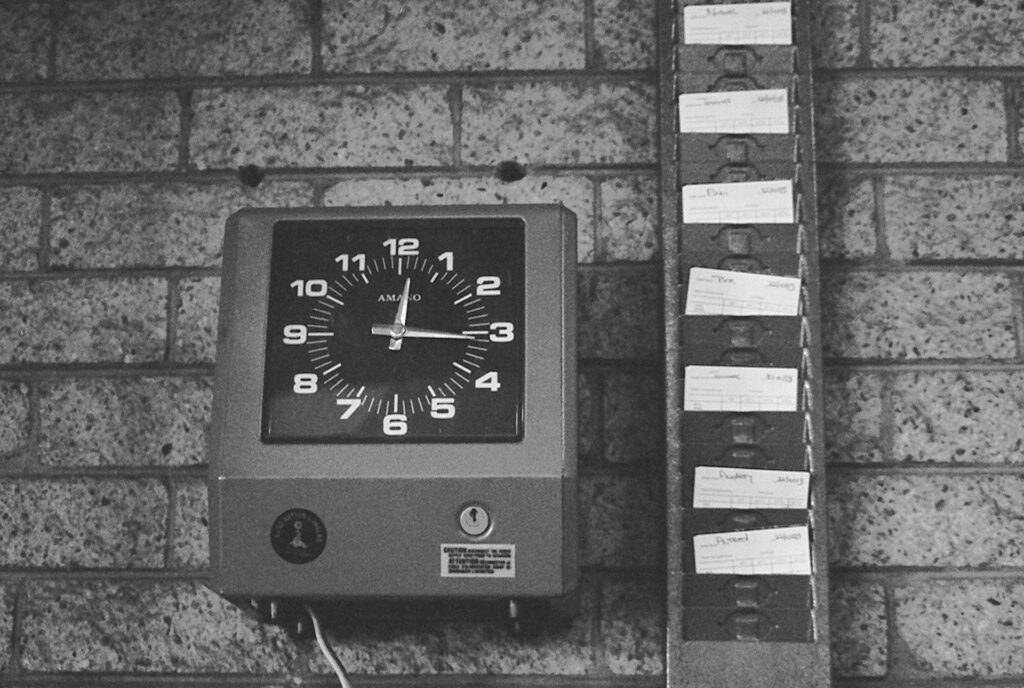
Productivity and labor spending matter to nearly every business. With GPS tracking, timesheet reports can be generated and emailed to you automatically, giving you an accurate record of when employees work. Traditional time clocks let people nudge their start and finish times, but GPS-based records can’t be tampered with. The result is better cost control, higher productivity, and less time theft.
The Hidden Cost of Tracking Time by Hand
- Punch clocks let employees clock in early or out late, padding their hours.
- Paper timesheets let employees or supervisors write down arrival and departure times that aren’t quite true.
- Geotab’s automated timesheets remove that risk and record hours precisely and reliably.
- 10 minutes early plus 10 minutes late each day is 20 minutes of unaccounted time.
- Over 21 workdays a month, that’s about 7 hours.
- At $15 an hour, that’s an extra $105 per employee, every month.
Daily Trip Insights: The Detailed Trips History Report
The Custom Detailed Trips History Report gives you a clear picture of your fleet’s daily activity, so you can watch driving behavior and make better use of your vehicles. It shows when each day started and ended, where vehicles stopped, and plenty more. It can also land in your inbox every morning, summarizing the previous day’s driving for all your vehicles, so you always have current data without running anything yourself.

Choose How Often and Who Gets It
Pick the schedule that suits you: daily, weekly, or monthly. You can also choose the time period covered, such as yesterday or last week, and include some or all of your trucks. You decide who receives each report, and you can send it to several people at once, so the right team members always stay informed.
Run Reports Manually or Automatically
You can generate a report whenever you need one, but many customers prefer automation. We can set up automatic creation and email delivery so reports reach the right people without any effort on your part.
Keep Your Inbox Tidy
To avoid cluttering your main email, consider creating a dedicated address just for your GPS tracking reports, such as [your.tracking.reports-name]@[company-name].com. Every report lands there, ready whenever you want it.
Take Control of Your Fleet Reporting
Whether you run reports yourself or let them arrive automatically, the Custom Detailed Trips History Report is a strong tool for managing your fleet. With flexible schedules, recipients, and delivery options, you can stay on top of fleet performance with very little work.
Contact us today to learn more!
Frequently asked questions
What is the Geotab Trip History and Timesheet Report?
This Geotab solution combines fleet tracking with automated employee timekeeping. It records vehicle routes, speeds, stops, and driving behavior while also logging work hours for drivers, giving you a single tool to manage both your fleet and your workforce more productively.
What is the Breadcrumb Trail feature?
The Breadcrumb Trail displays each vehicle’s complete route on an interactive map, from the moment a trip begins until it ends. Managers can use it to review the paths drivers chose, find unnecessary detours, and plan better routes going forward.
How can Geotab help me reduce labor costs?
Geotab uses GPS data to create time sheet reports that record employee hours accurately and automatically. Since the information comes straight from the vehicle, it cuts down on time theft, boosts productivity, and lowers the administrative effort needed to prepare payroll.
Is it possible for employees to alter their recorded hours?
No. Manual time clocks and handwritten sheets can be easily adjusted, but Geotab’s automated time sheets are dependable and tamper-proof. Recorded hours reflect actual vehicle activity rather than what an employee reports.
What does manual time tracking really cost my business?
Manual punching and handwritten sheets make it simple to log early starts or late finishes, which hurts accuracy. If an employee adds 10 minutes at the start and 10 at the end of each day, that is 20 untracked minutes daily, or roughly 7 hours a month. At $15 per hour, that comes to an extra $105 per employee each month.
What details does the Custom Detailed Trips History Report include?
This report gives you a thorough picture of daily fleet activity, including when each day starts and ends, the stops made along the way, and more. It helps you understand driving behavior and vehicle usage so you can get more out of your fleet.
Will the Trips History Report arrive in my inbox automatically?
Yes. You can have it delivered every morning with a summary of the previous day’s driving for all of your vehicles. That way you always have current, accurate information without needing to generate the report yourself.
How frequently can I get these reports?
The choice is yours: daily, weekly, or monthly. You can also pick the time period covered, such as the prior day or prior week, and include either some or all of your vehicles.
Can the reports go to several recipients?
Absolutely. Geotab allows you to email reports to anyone you choose, and to multiple people at once, so everyone who needs to follow fleet performance stays in the loop.
Do I have to rely on automatic reports, or can I run them myself?
You can run any report manually whenever you need it. That said, many customers choose automation, and we’re happy to set up scheduled report creation and email delivery for you so it all happens in the background.
What's the best way to keep Geotab reports from filling up my main inbox?
Consider creating a separate email address just for your Geotab reports, for example your.tracking.reports-name@company-name.com. Sending everything there keeps your primary inbox tidy, and you can still open the reports whenever you need them.
How does Trip History data support safer drivers and a more efficient fleet?
Looking at routes, speeds, stops, and driving behavior lets managers spot risky habits, needless detours, and wasteful vehicle use. With those insights, you can coach drivers, streamline routes, and improve both safety and overall performance.
How do I start using Geotab Trip History and Timesheet Reports?
Reach out to us today and we’ll walk you through it. Our team can configure your reports, set the frequency and recipients, and automate delivery so you can manage your fleet and employee hours with less effort.