Description
 |
Top Features :
Geotab Inc. is a world leading developer of GPS vehicle tracking technology. |
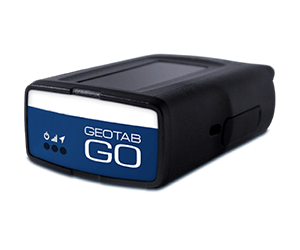
The Geotab GPS tracking system has been measuring vehicle trips and activity with the highest quality precision for over 20 years. The state of the art Geotab GO tracker analyzes activity every second from ignition, reversing, turning, accelerating, cornering, braking, stopping and much more.
Drivers can be notified when safe driving thresholds are exceeded. An in-vehicle audible buzzer can alert drivers to manage their driving habits to reduce erratic driving, speeding and excessive idling, thereby saving on fuel costs. (The buzzer can be disabled).
As a leading technology engineering company solely focused on advanced GPS tracking, Geotab’s plug and play tracker can accurately differentiate between aggressive driving, aggressive braking, accident events and even potholes in the road.
Geotab Inc. has been developing end to end GPS telematics solutions since 1996. Geotab’s solutions are proven technology used by some of the largest fleets in North America as well as some of the smallest. Geotab is established in more than 70 countries, with 1,900,000 tracking units in operation and consequently is at the forefront of fleet and resource management technology. Geotab offers software that is easy to use and is scalable (from small to large fleets). State-of-the-art software and hardware has always been a Geotab trademark. All of Geotab’s products are manufactured in Ontario, Canada.
Frequently Asked Questions
What is the Geotab GO device?
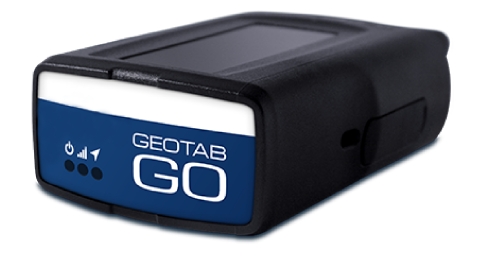
The Geotab GO is a plug‑and‑play telematics device that connects to a vehicle’s OBDII port to deliver real‑time data on location, driving behavior, and engine health.
Installation: How do I locate the engine diagnostics port in my vehicle?
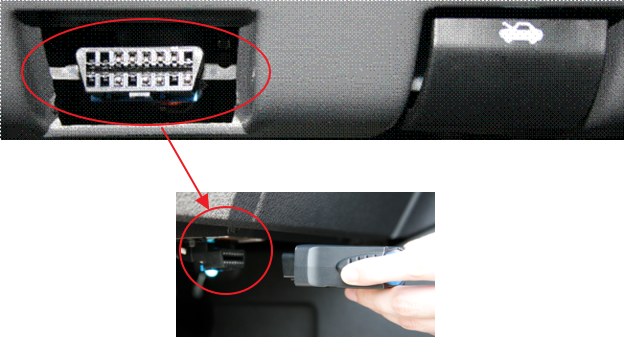
Tracking device installation is a simple procedure. It is very easy and requires no tools. Every car and light duty vehicle made after 1997 has an engine diagnostics port, called the OBDII port, where the mechanic inserts his/her computer scanner to connect to the vehicle computer to diagnose the vehicle health. The port is typically a 1.5″ trapezoidal shape as shown in the video. Typically you will find the port to the left of the driver near the parking brake or hood release. The port might be behind a plastic panel. The port is required to be within two feet of the steering column.
When looking at a heavy duty vehicle, you might find a round shaped port about 1.5″ in diameter instead. If you find a round port, you will need a heavy duty truck adapter.
Please confirm that the port is located in a place where it is safe from being knocked. If you think driver interference due to the location of the port may be a problem, then we do have extension cables that you can order. You do not have to install the tracking unit connected to the engine diagnostics port. You can optionally connect the tracking unit with a 3-wire (power/ground/ignition) cable adapter. This type of installation must be performed by a professional installer.
To check the status of your installed Geotab GO Plug and Play Vehicle Tracking Device, visit: http://install.geotab.com
This video shows the installation process into a light duty vehicle.
If you have difficulty locating the OBDII port, click HERE for a reference for all vehicles.
What do the beeps mean during installation?
1 beep: Device has powered on.
2 beeps: GPS lock acquired.
3 beeps: Cellular connection established.
4–5 beeps: Device has successfully communicated with the engine bus (if applicable).
What kind of data does the GO device collect?
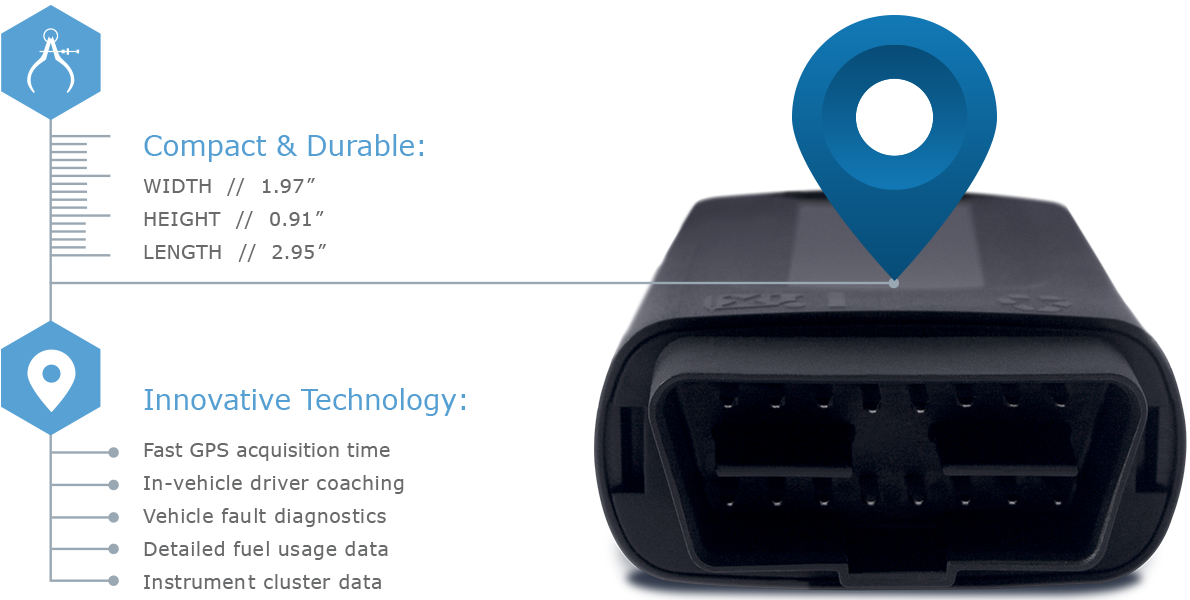
It captures GPS location, speed, idling, harsh driving events, fuel usage, and engine diagnostics. This data helps managers improve safety, efficiency, and maintenance planning.
Does the GO device support compliance programs?
Absolutely. It can be used for Hours of Service (HOS), DVIR, and IFTA reporting, helping fleets meet regulatory requirements
Is the data secure?
Yes. Geotab uses end‑to‑end encryption and strict security protocols to protect telematics data, ensuring compliance with industry standards.
What service plans/features are available for the Geotab GO Plug and Play tracker?
You can see more about the available plan here.
Does the GO device drain the vehicle battery?
No. The device uses extremely low power and enters a sleep mode when the vehicle is off. It meets OEM and telematics industry standards for parasitic draw
Does the GO device work in electric vehicles?
Yes. Geotab supports many EV makes and models. Data availability varies by manufacturer, but typically includes state of charge, charging events, energy usage, and range.
What happens if the device is unplugged?
- MyGeotab will generate an “Device Unplugged” alert.
- Trips will not be recorded while unplugged.
- Once reconnected, the device resumes normal operation.
How long does it take for data to appear in MyGeotab?
Data typically appears within seconds to a few minutes, depending on cellular coverage and reporting settings.
Does the GO device require a SIM card?
Yes, but it is built in. The device uses an internal SIM and modem—no user setup required.
What cellular networks does it use?
Geotab GO devices use region‑specific LTE/4G/5G networks depending on the model. They automatically connect to the strongest available partner network.
Can the device work without cellular coverage?
Yes. The GO unit stores data internally and uploads it once cellular connectivity returns.
How do firmware updates work?
Firmware updates are delivered over the air automatically. No action is required from the user.
What should I do if the device is not reporting?
Basic steps:
- Confirm the device is firmly plugged in.
- Check for physical damage.
- Try a different vehicle port if available.
- Review MyGeotab for fault or unplug alerts.
- Contact your Reseller if the issue persists.