Fleet Maintenance Software

Fleet Maintenance Software
Stop tracking service dates in spreadsheets and learning about a problem only after a truck is stranded on the roadside. MyGeotab maintenance tools from GPS Tracking America combine your service schedules, vehicle diagnostics and repair paperwork in a single system.
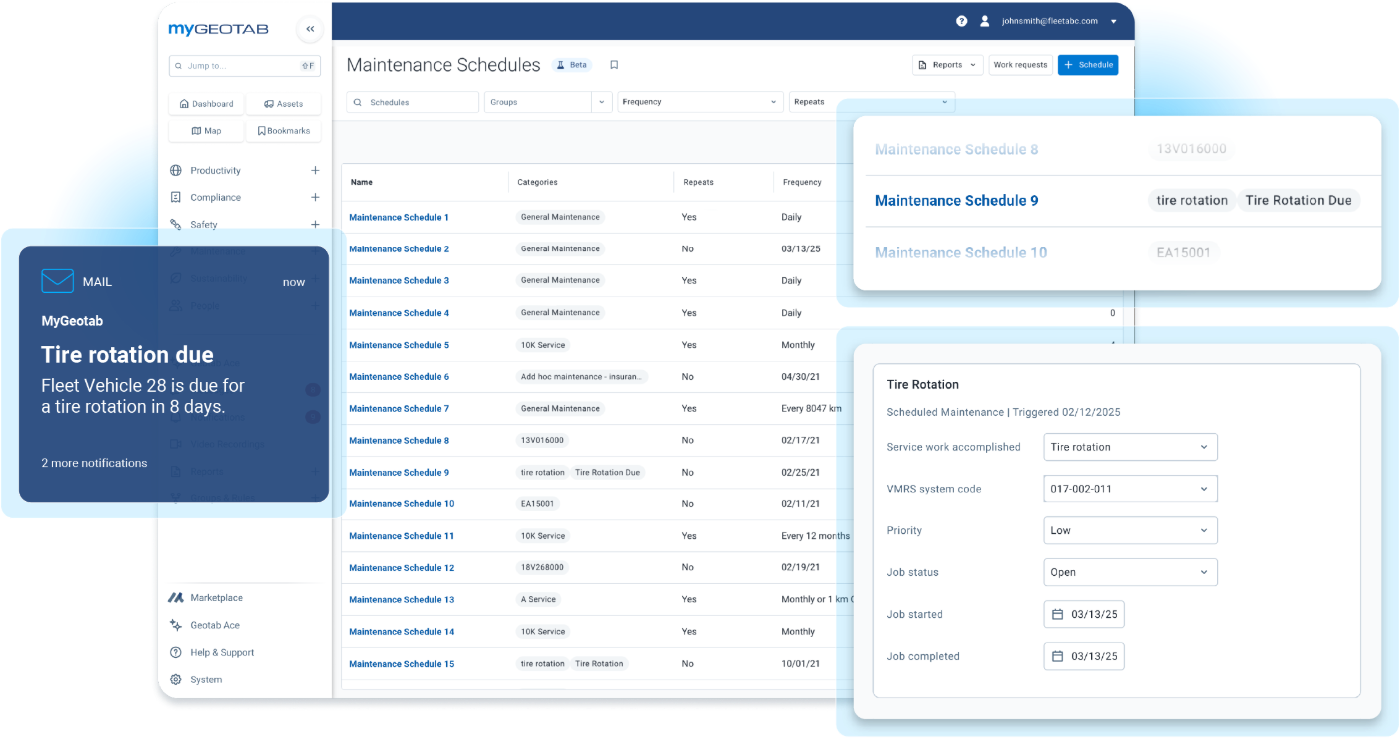

STEP 1 · CREATE SCHEDULES AND PLANS

Build Service Intervals Around How Your Vehicles Actually Work
Create a schedule once and MyGeotab alerts you when a service comes due. Base it on elapsed time, miles driven, engine hours or a mix, and it triggers the moment any one of them is reached. A truck that idles through a long winter or sits at a job site all day can hit its engine-hour limit well before its mileage limit, and the schedule accounts for it.
- Handles routine service, inspections, license renewals and any other recurring item
- Categories keep your schedules organized for reporting

STEP 2 · DIAGNOSE VEHICLES IN REAL TIME

Spot Every Fault the Moment It Appears
The GO device pulls fault codes from the vehicle’s engine computer and sends them to MyGeotab, so you learn about issues as they happen rather than after a driver calls in.
- Filter by group, vehicle, date range or controller
- Fault life cycles show the first occurrence, the most recent one and the distance driven while the fault was active
- Covers a broad range of makes and models, including gas, diesel, hybrid and electric
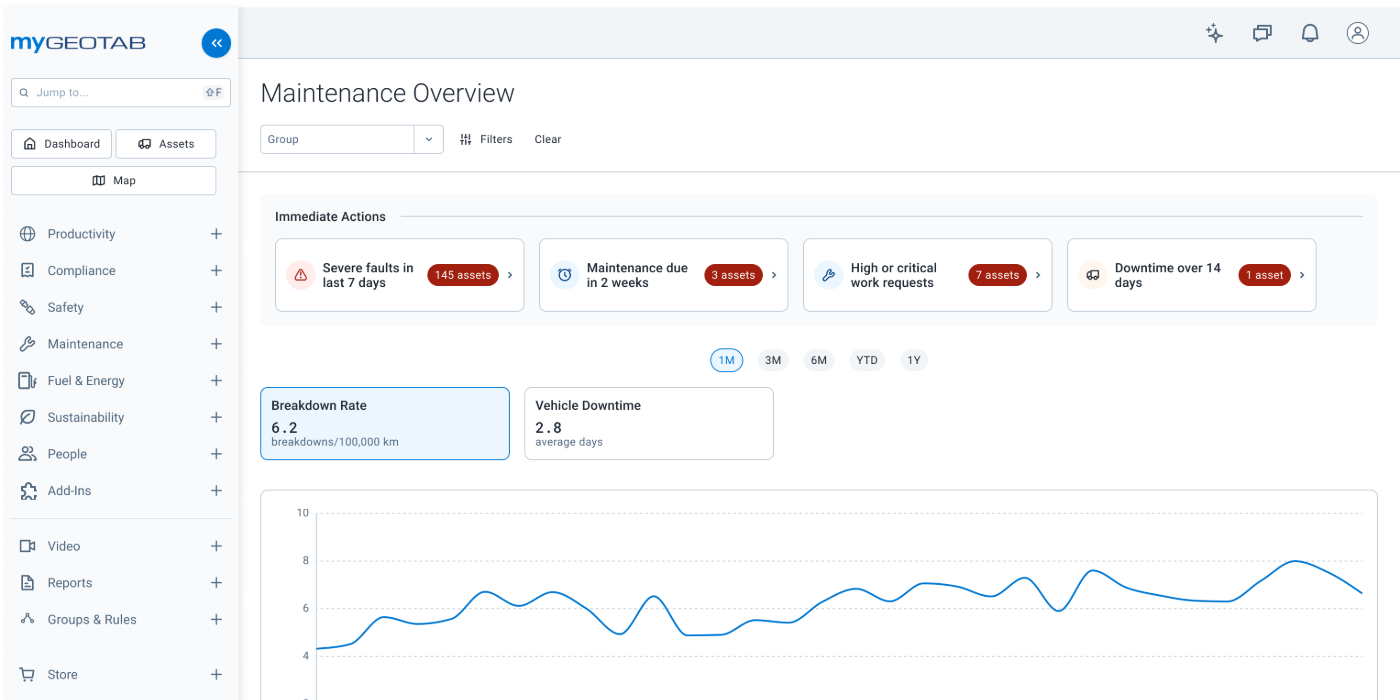
Catch Battery, Oil, and Tire Trouble Early
Where vehicle data is available, MyGeotab monitors the most frequent failure points and opens a work request on its own.
- Battery Health: Electrical System Rating grades the battery from 0 to 100 and flags anything at 15 or lower
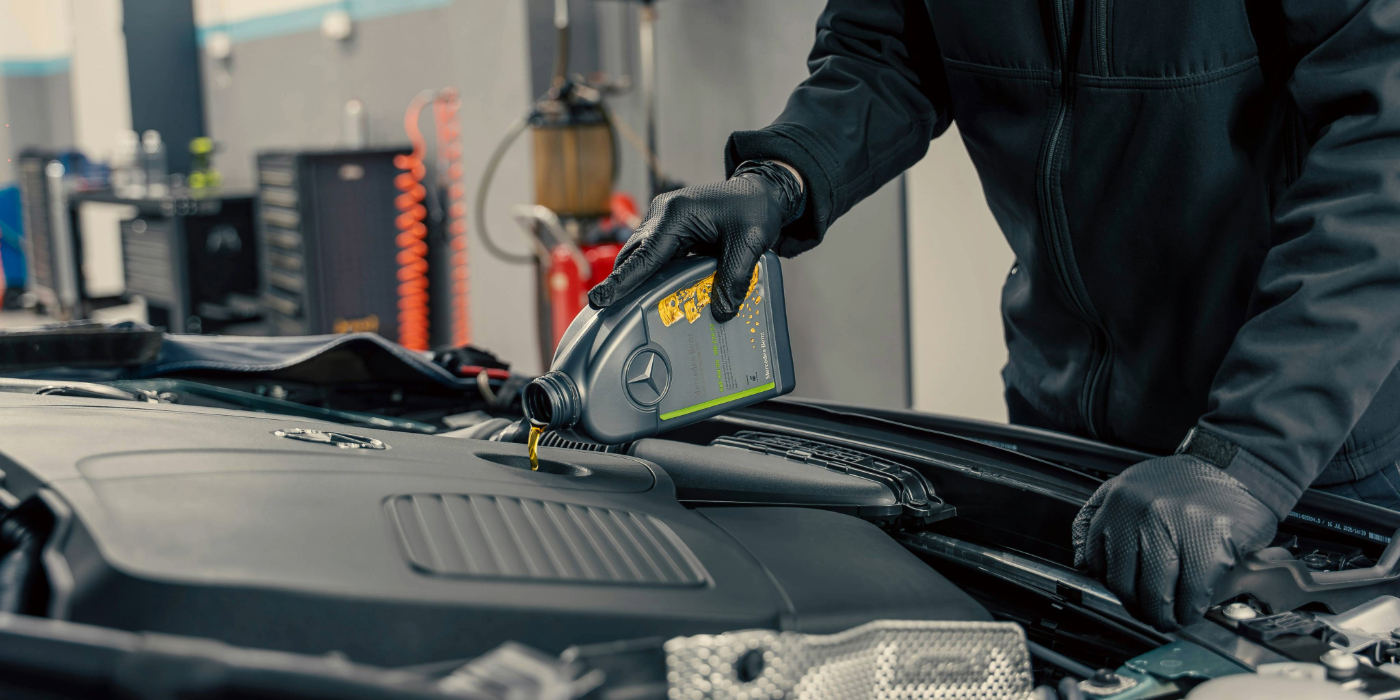
- Oil Life: Estimates when an oil change is due from actual driving rather than a fixed interval
- Tire Pressure: A rule warns you when pressure falls to a critical level and screens out typical false alarms
STEP 3 · ASSIGN AND COMPLETE WORK ORDERS
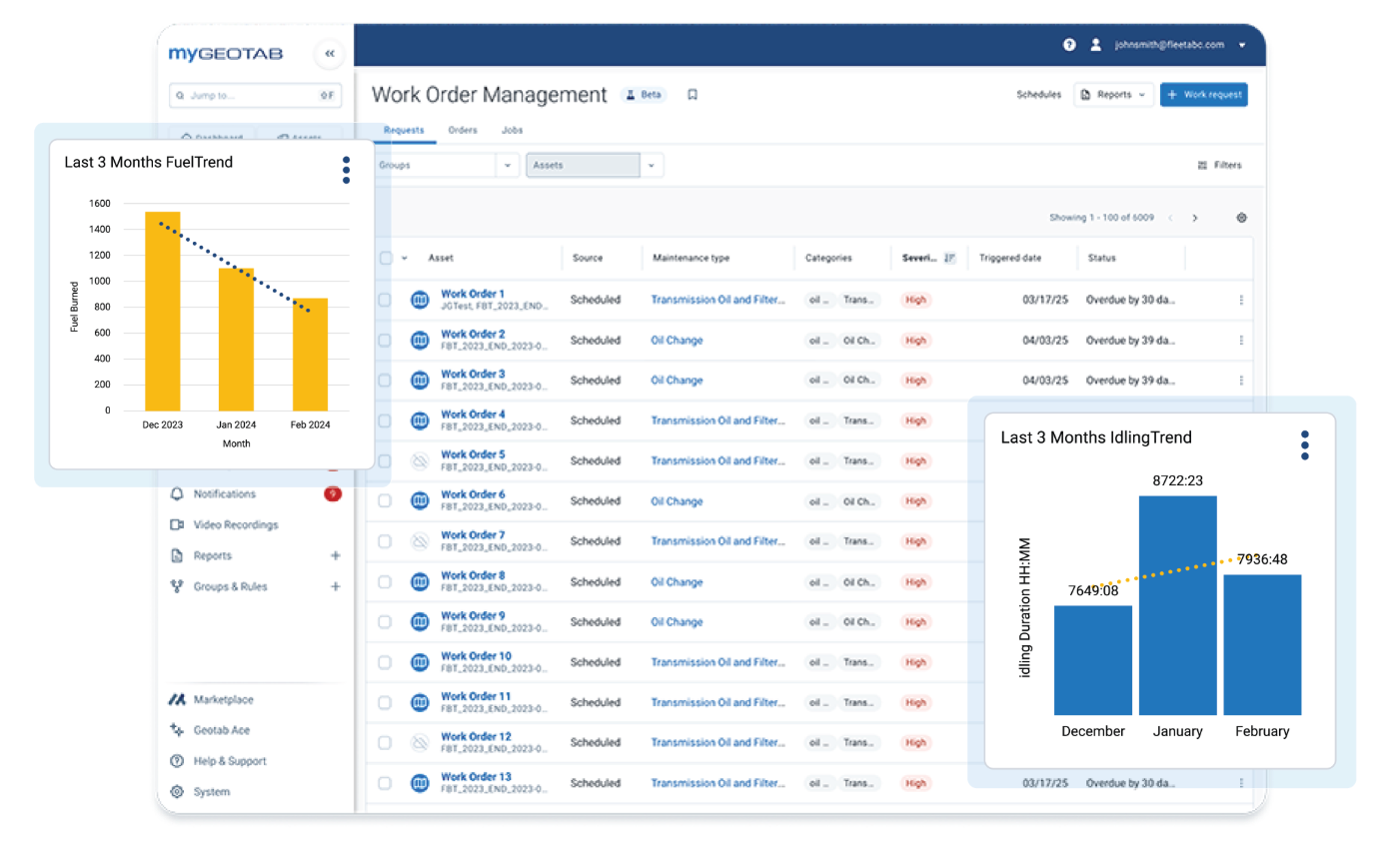
Get Repairs Done and Documented
Schedules and diagnostics identify the work. Work orders make sure it gets completed.
Quick Triage
Convert a request to a work order, snooze lower-priority items for 1, 7 or 30 days, skip invalid ones with a note, or quick-complete routine tasks.
Clear Assignments
Give each order a due date, status, priority from Low to Critical, an owner and a repair location, whether it’s your own garage or an outside vendor.
Finished Means Finished
Completing an order logs the date and resets the linked schedule. Connected driver inspection defects update automatically (beta).
Your History Comes Along
Upload existing service records through an Excel template, or generate work orders from uploaded invoices (beta).
How the Pieces Work Together
Each part feeds the next. A service comes due, a fault passes a severity threshold or a driver reports a defect, and a request is created. A manager converts it to a work order, a mechanic finishes the jobs, and closing the order resets the schedule. Nothing gets lost between tools.


Made for the People Who Get the Work Done
Driving habits play a role as well. Hard braking and speeding accelerate wear, and the platform that manages your maintenance also reveals which behaviors are driving up costs.
- Fleet Managers see upcoming service, high-risk vehicles and maintenance spending at a glance.
- Mechanics get the fault details they need for faster diagnosis, can prioritize open work orders and can see delays such as missing parts.
- Drivers can report defects while on the road, so issues reach the shop sooner.
Watch the Walkthrough
Watch the Geotab training team demonstrate scheduling, data insights and the complete work order process.
Want to Learn More?
Have questions about maintenance or our fleet solutions? Our team is ready to help. Contact us today to learn how GPS Tracking America can support your fleet, improve visibility, and help keep your operations safe, efficient, and compliant.
Frequently asked questions
What Is Fleet Maintenance?
Fleet maintenance covers everything involved in keeping vehicles safe and ready to work. It blends preventive maintenance, which follows a fixed service schedule, with predictive maintenance, which relies on diagnostic data to act before a breakdown happens. Work orders connect the two.
What Is the Difference Between Preventive and Predictive Maintenance?
Preventive maintenance follows a plan you set ahead of time, such as an oil change every 6,000 miles or every six months. Predictive maintenance draws on live vehicle data like fault codes and battery health to flag issues between scheduled services. Most fleets benefit from both, and MyGeotab keeps them together.
How Do I Build a Maintenance Program?
Begin by listing the services each vehicle type requires and how often each is due. Create a schedule for every service and assign your vehicles or groups. When it all lives in a GPS TRcking (telematics) platform, diagnostics and work orders tie into the same plan, keeping your records, budgets and forecasts together.
Can I Schedule Maintenance by Miles, Time, or Engine Hours?
Yes. Schedules can run on mileage, time, engine hours or a combination. When you set more than one, the schedule triggers as soon as the first is reached, which suits vehicles that idle often or work through harsh winters.
Who Gets Notified When Service Is Due?
That’s up to you. MyGeotab emails reminders to whichever managers or mechanics you choose, and user-group permissions control who can see or change each schedule.
How Does the System Detect Vehicle Problems?
The GO device reads fault codes straight from the vehicle’s engine computer and passes them to MyGeotab. The Faults page shows each one by vehicle, code, severity and status, so you find out as problems occur rather than when a driver phones in.
What Do Fault Severity Levels Mean?
Faults are rated from Low, meaning no repair is needed, to Critical, meaning it needs immediate attention. For OBD-II codes, the rating reflects how often that fault has resulted in a tow, which lets mechanics concentrate on the issues most likely to leave a vehicle stranded.
Which Vehicles Does Fleet Maintenance Support?
MyGeotab works with a broad range of makes and models, including gas, diesel, hybrid and electric vehicles. Certain insights, like battery health and oil life estimates, depend on what data the vehicle provides, so contact us to confirm coverage for your fleet.
What Is the Difference Between a Work Request and a Work Order?
A work request is anything that needs attention, such as an upcoming service, a fault, a driver-reported defect or an item you enter yourself. In the Requests list you can convert it to a work order, snooze it for 1, 7 or 30 days, skip it with a note, or quick-complete it. A work order is the assigned job, complete with a due date, status, priority, owner and repair location.
Can I Assign Repairs to an Outside Shop?
Yes. Every work order includes a repair site, which can be your own garage or an outside service provider configured as a zone in MyGeotab.
How Do I Track Maintenance Costs?
Split each work order into jobs with labor hours and parts costs, and add notes and files. Maintenance cost reports then show spending by vehicle. Fleets with routes into Canada can use currency conversion support to keep costs consistent.
Can I Import My Existing Service Records?
Yes. Bring in past service records using an Excel template so your history carries over instead of starting empty. You can also create work orders from uploaded invoices, a feature that is currently in beta.
What Happens When a Work Order Is Completed?
Finishing a work order logs the completion date and resets the associated schedule. If a driver inspection defect is attached, its status updates automatically in the driver’s app, which is currently in beta.
How Does Driver Behavior Affect Maintenance?
Hard braking, speeding and other aggressive driving add wear and bring repairs sooner. Cutting back on them extends vehicle life, and the same platform that manages your maintenance reveals which behaviors are adding cost.
What Tools Are Included?
Remote diagnostics, maintenance scheduling and reminders, work order management and maintenance cost reporting, plus integrations through the Geotab Marketplace.
Can It Replace My Spreadsheets?
Yes. Import your records, build schedules in the platform and keep all open work in a single list.
Do the Alerts Guarantee a Vehicle Is Healthy?
No. Fault alerts and predictive insights are guidance drawn from vehicle data. A vehicle with no alerts can still need service, so continue your regular inspection and maintenance routines.
How Do I Get Started With GPS Tracking America?
Book a demo or reach out to GPS Tracking America, and we’ll show you how schedules, diagnostics and work orders can fit your fleet.