Geotab Investigations
A Centralized Approach to Fleet Incident Investigations
Geotab Investigations is a case management capability within MyGeotab that helps fleet teams examine collisions, complaints, property damage, speeding events, safety incidents and other situations involving fleet vehicles. By combining vehicle activity, incident information and supporting records within a single case, the solution helps teams build a clearer understanding of what occurred while keeping investigation details organized.
Rather than collecting information from separate applications, email threads and individual files, safety, operations, compliance and fleet personnel can search vehicle activity by location and time, review events surrounding an incident, attach supporting material and manage the case throughout the investigation process.
Bring Investigation Materials Together
Keep evidence connected to the case
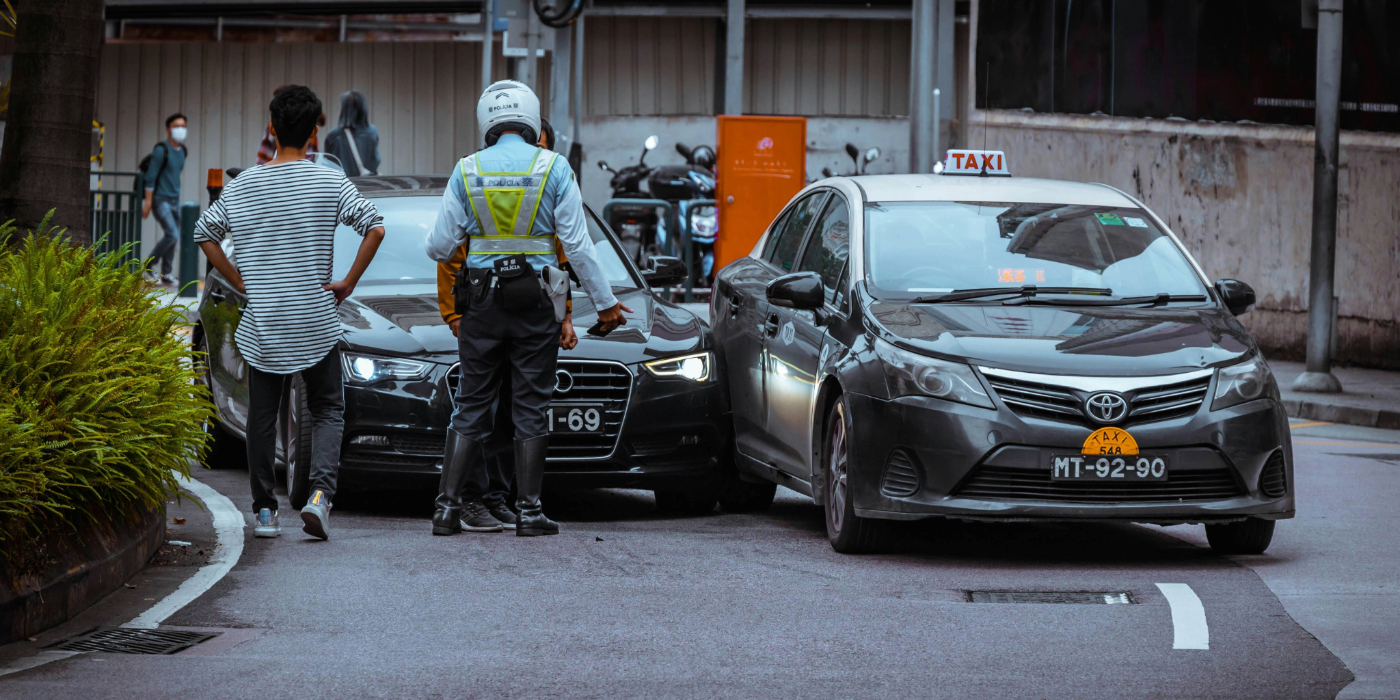
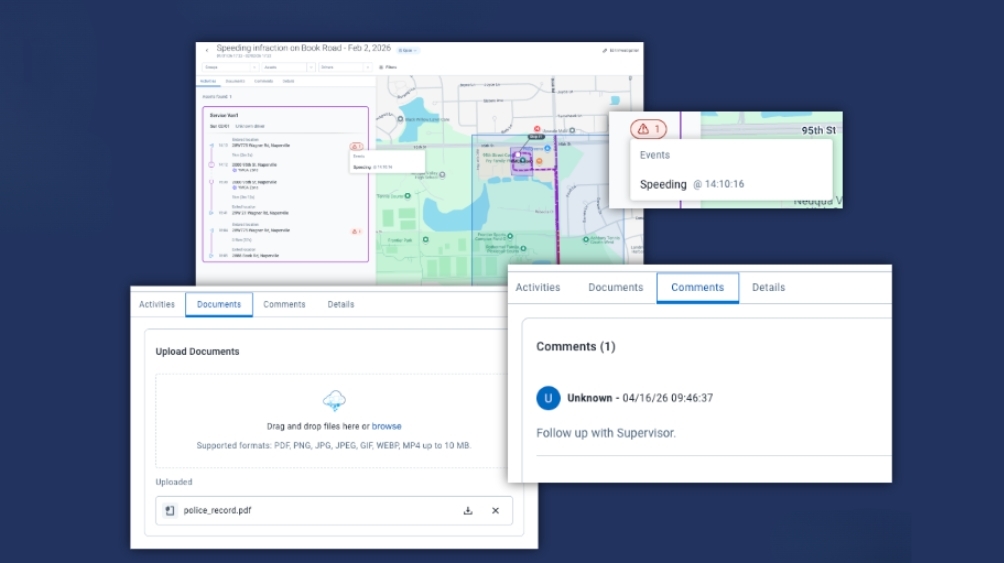
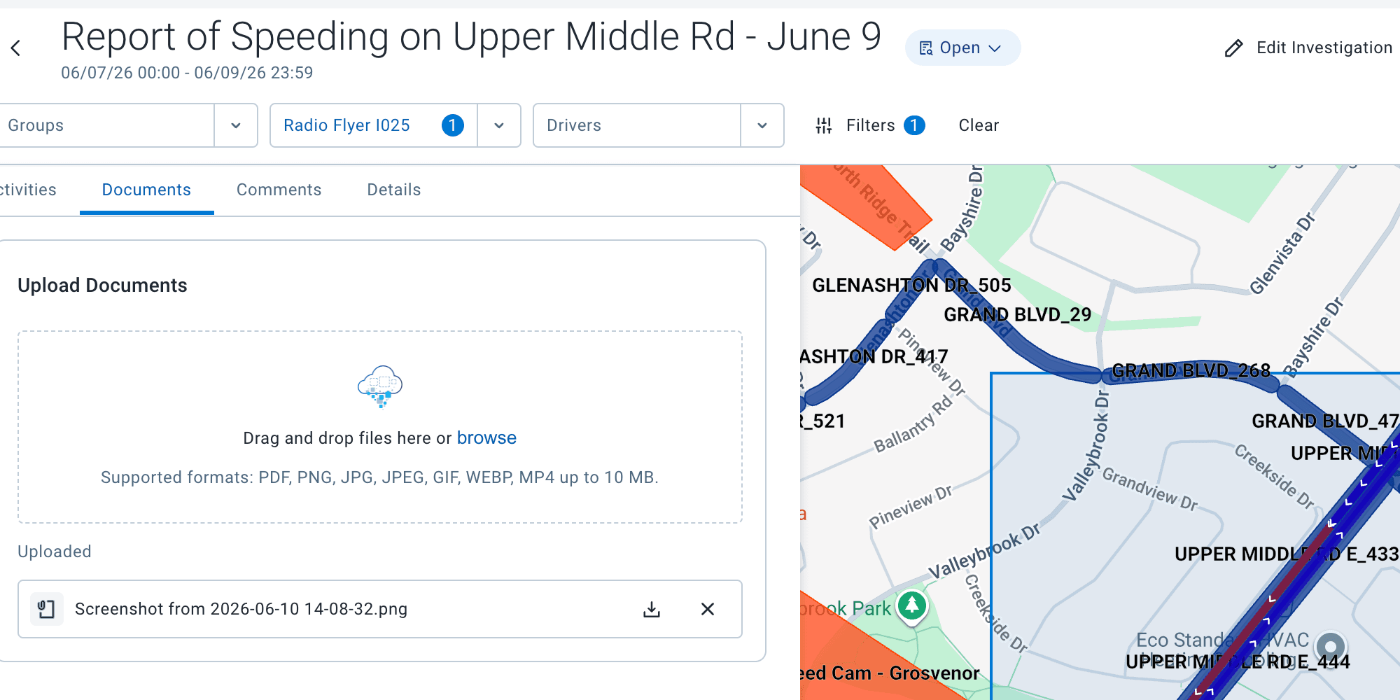
Incident reviews frequently involve more than telematics information alone. Users can add notes, emails, reports, documents, photographs and video to a case, keeping these materials together with the related vehicle activity and event information.
Having supporting records organized alongside incident data gives teams a more complete source of information for internal reviews, insurance matters, compliance activities and operational decisions.
Tools to Support a Complete Investigation
Search by Location and Time
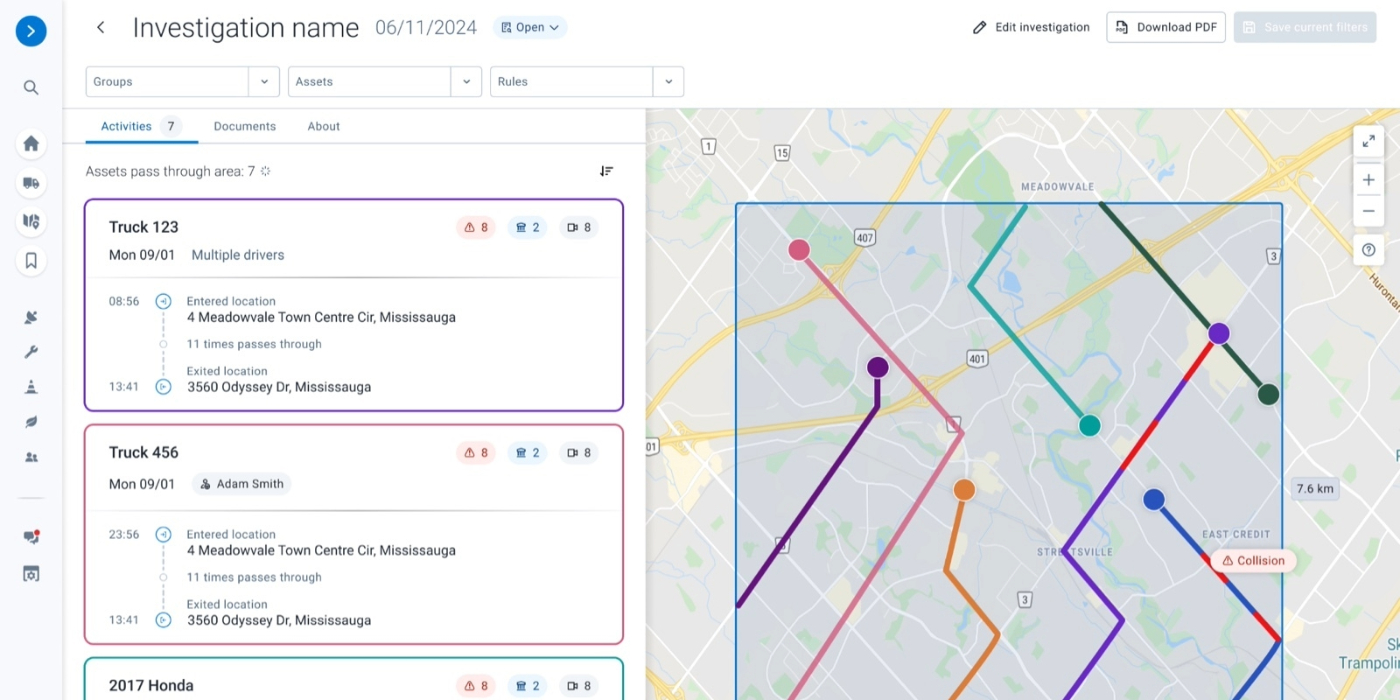
Define the area and time period surrounding an event to identify vehicles and activity that may be relevant. Using Area Activity as part of the process helps teams concentrate on the vehicles and events connected to a specific incident.
Refine Results with Activity Filters
Focus the investigation by filtering available activity according to groups, assets and drivers. The investigation area and date range can also be modified to further narrow the information being reviewed.
Review Events in Context
Examine the activity surrounding an incident to better understand the sequence of events. Trips, driver behavior, speeding events, location information and other telematics data can be reviewed together to provide additional context before and after an event.
Organize Supporting Evidence
Keep notes, documents, images, comments and short videos together with the related investigation. Having these materials in the same case makes it easier for authorized users to review the available information without managing disconnected records.
Adjust Cases as Investigations Develop
Investigations may change as additional information becomes available. Users can update details such as the case name, description, date range and investigation area as the scope of the review evolves.
Manage Cases from One Location
The Investigations area in MyGeotab provides a centralized view of cases and displays information such as the case name, creator, creation date, date range, description and status. Filters and summary cards can help users locate relevant investigations more efficiently.
Manage Access to Investigation Data
Control access to sensitive case information according to user responsibilities. Viewer, Editor and Admin permissions provide different levels of access for people who need to review or contribute to an investigation.
Maintain a Record Beyond the Initial Review
Cases can remain available after the initial investigation and can be updated as needed. Once the review is complete, cases can be moved through closed or archived statuses, helping organizations maintain a centralized record of previous investigations.
Support Claims, Compliance and Operational Reviews
Bring together time-specific vehicle activity and supporting documentation to help teams examine incidents for insurance claims, compliance requirements, internal reviews and operational decision-making.
Connected Vehicle Intelligence
Bring the details surrounding an incident into one view
Investigating an incident can require information from numerous sources, including vehicle movement, driver behavior, location data, photographs, documents and video. By bringing these different pieces of information together in MyGeotab, the investigation workspace gives fleet teams a central place to review what happened, collect supporting material and manage the case as it progresses.
Connecting vehicle activity with the documentation associated with an incident can help teams establish a more complete timeline, keep investigation records organized and provide useful information for safety, operations, compliance and claims-related decisions.
Want to Learn More?
Have questions or need more information about Geotab Investigations? Our team is here to help!
Reach out to us today to learn how we can assist with your fleet needs and ensure your fleet stays compliant and safe.
Contact us now to get started!
Frequently Asked Questions
What is Geotab Investigations?
Geotab Investigations is a case management feature within MyGeotab that helps fleet teams review incidents by bringing relevant vehicle activity, supporting evidence, and case information together in one centralized workspace.
What types of fleet incidents can be investigated?
The feature can be used to review collisions, property damage, speeding events, complaints, safety incidents, and other situations where teams need to examine vehicle activity and supporting information.
How can I identify vehicles involved in an incident?
Users can define a specific location and time period to identify vehicle activity in the area. Reviewing this information can help narrow down which vehicles may have been involved in an incident.
What vehicle information can be reviewed?
Depending on the available fleet data, a case can include trips, speeding events, harsh braking, collision-related activity, location information, and other telematics events that provide context around an incident.
Can an investigation be started from Area Activity?
Yes. Area Activity can be used to locate vehicles and events within a selected area and time period, with relevant information then carried into an investigation for more detailed review and case management.
Can investigation results be filtered?
Yes. Users can refine the information being reviewed by filtering activity according to groups, assets, and drivers. The investigation area and date range can also be adjusted as needed.
What types of evidence can be added to a case?
Supporting materials can include notes, emails, reports, documents, images, and video. These items can be stored with the related vehicle activity and investigation details.
Can an investigation be updated after it is created?
Yes. Case information can be revised as the investigation progresses. Users can update details such as the investigation name, description, date range, and geographic area as new information becomes available.
Can the investigation area or date range be changed?
Yes. The location and time period associated with a case can be modified after creation, allowing teams to expand or narrow the activity being reviewed as the investigation develops.
How are investigation cases organized?
Cases are maintained within MyGeotab and can be tracked through Open, Closed, and Archived statuses. This helps teams distinguish ongoing investigations from completed or archived cases.
Can completed investigations be reviewed later?
Yes. Cases can remain available after the initial investigation and be revisited when information is needed for a future claim, dispute, internal review, or other business purpose.
Who can access investigation information?
Access can be controlled using Viewer, Editor, and Admin clearance levels. These permissions help organizations determine who can review case information and who can make changes.
How can users find active investigations?
The Investigations page provides a centralized view of cases and displays information such as the case name, creator, creation date, date range, description, and current status. Filters and summary cards can help users locate relevant cases.
Can this feature support insurance claims?
Yes. Bringing vehicle activity and supporting documentation together can help teams organize information for insurance-related reviews and better understand the circumstances surrounding an incident.
Can it be used for compliance or legal-related reviews?
The feature can help organize information for compliance activities, disputes, and other formal reviews. Organizations should still follow their own legal, records-management, and evidence-preservation requirements.
Are summary reports available?
Yes. Geotab’s July 2026 release information identifies summary reports as one of the capabilities introduced with the feature, along with event tracking, evidence attachments, workflow management, and access controls.
Is video required for an investigation?
No. Video can be included as supporting evidence, but it is not required. Cases can also contain vehicle activity, notes, images, documents, and other relevant information.
Can complaints be investigated without a collision?
Yes. The feature can support investigations involving complaints, speeding events, property damage, claims, and other fleet-related situations that do not necessarily involve a collision.
Does it replace Area Activity or other fleet reports?
No. The feature works with existing fleet activity rather than replacing the underlying data. Area Activity can help identify relevant events, which can then be incorporated into a dedicated case for further investigation and evidence management.
Is Geotab Investigations a legal hold or evidence-preservation system?
No. It is designed to organize and manage investigation information, but it is not a legal-hold, evidence-preservation, or custodial service. Organizations remain responsible for meeting their applicable legal and records-retention requirements.