BlueArrow Fuel Card Integration
BlueArrow Telematics fuel card integration connects supported fuel card transactions with Geotab vehicle location and telematics data. By bringing fuel purchases and fleet activity together, the solution helps managers monitor spending, investigate unusual transactions, reduce manual reconciliation, and make informed decisions about fuel efficiency. Compatibility, available data, and functionality may vary by fuel card provider and fleet configuration.
Detect Potential Fuel Card Misuse Faster
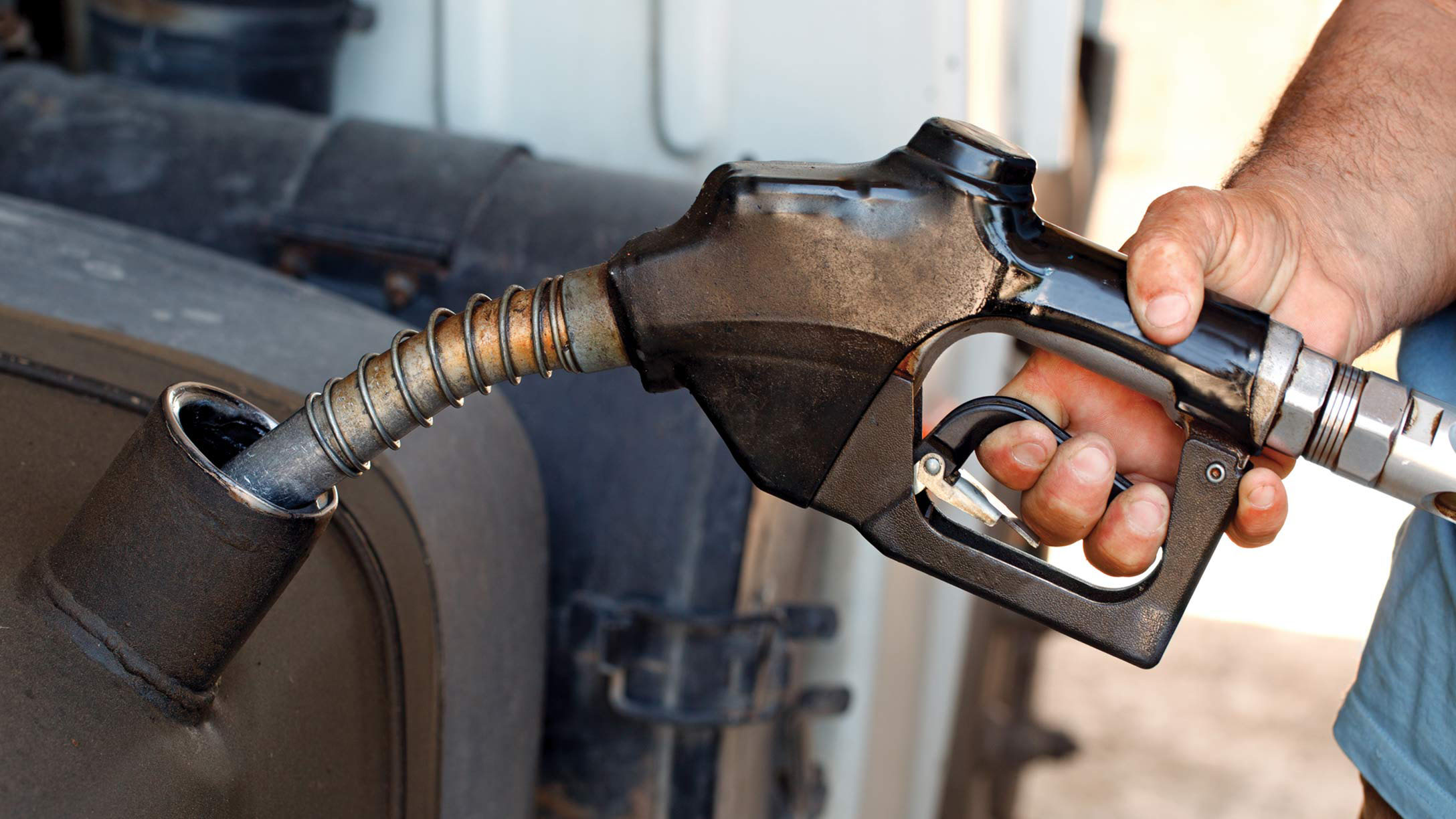
BlueArrow compares each fuel card transaction with Geotab GPS data to determine whether the assigned vehicle was at the fueling location when the purchase occurred. It can also evaluate whether the amount purchased is reasonable for the vehicle’s fuel capacity. Suspicious transactions can be highlighted on the dashboard and reported through automatic email alerts, helping fleet managers investigate possible misuse, theft, or incorrect card use sooner.

Improve Fuel Data Accuracy and Reduce False Alerts
Fuel card data is most useful when transactions are matched accurately. BlueArrow uses purpose-built matching algorithms to account for issues such as inconsistent timestamps, inaccurate fuel readings, and incorrect station coordinates. Users can correct a fuel station’s location when necessary, with the updated location applied to associated historical and future transactions. This helps produce more dependable fuel reports and prevents managers from wasting time investigating avoidable false alerts.
Simplify Reporting and Control Fuel-Related Costs
The BlueArrow and Geotab integration reduces the need to compare fuel card statements, vehicle locations, and mileage records manually. Fleets can schedule summary reports, review fueling patterns, identify excessive time spent at fuel stops, and reassign transactions when a card is used for the wrong vehicle. When configured with a compatible IFTA reporting solution, fuel transactions can also be combined with Geotab mileage data to support more efficient fuel-tax reporting.

Gain Better Control of Fleet Fuel Spending
BlueArrow fuel card integration helps turn separate fuel purchases and Geotab telematics records into practical fleet-management information. GPS Tracking America can help you evaluate provider compatibility, configure the integration, and determine how fuel alerts and reports can support your operation. Contact us to learn how BlueArrow and Geotab can help your fleet improve fuel visibility, reduce administrative work, and control operating costs.
What is BlueArrow fuel card integration with Geotab?
BlueArrow fuel card integration connects supported fuel card transaction data with Geotab GPS and vehicle information. This gives fleet managers a clearer view of where, when, and how fuel cards are being used.
How does BlueArrow work with Geotab?
BlueArrow compares fuel card transactions with data from Geotab, including vehicle location and time information. The system uses this comparison to match purchases to vehicles and identify transactions that may require further review.
What are the benefits of integrating fuel cards with Geotab?
The integration can help fleets monitor fuel spending, detect possible fuel card misuse, reduce manual data reconciliation, improve reporting, and understand fueling activity at the vehicle level.
Can BlueArrow detect potential fuel card fraud or theft?
Yes. BlueArrow can identify suspicious transactions by checking whether the assigned vehicle was present at the fuel station when the card was used. Transactions that do not match the available vehicle data can be flagged for investigation.
Does BlueArrow send alerts for suspicious fuel transactions?
Yes. BlueArrow can send automatic email notifications when it detects potential fuel card misuse or another unusual transaction. Suspicious purchases can also be highlighted in the platform’s dashboard.
How does BlueArrow verify that a vehicle was at the fuel station?
BlueArrow cross-references the fuel transaction’s time and location with GPS data from the associated Geotab-equipped vehicle. This helps determine whether the vehicle was physically present near the reported fueling location.
Can BlueArrow identify purchases that exceed a vehicle’s fuel capacity?
BlueArrow can compare the amount of fuel purchased with information about the vehicle’s fuel capacity. A transaction may be flagged when the purchase volume appears inconsistent with what the vehicle can reasonably hold.
How does BlueArrow reduce false fuel alerts?
BlueArrow uses purpose-built matching algorithms to address problems such as inconsistent timestamps, inaccurate fuel readings, and incorrect station coordinates. These processes help prevent legitimate purchases from being unnecessarily flagged.
Can an incorrect fuel station location be corrected?
Yes. Authorized users can manually correct a fuel station’s GPS location when its address points to the wrong place. The corrected location can then be applied to associated historical and future transactions.
Which fuel card providers can work with BlueArrow?
BlueArrow supports integrations with various fuel card programs, including selected Fleetcor, Comdata, Fuelman, WEX, EFS, Fleet One, Voyager, Petro-Canada, Flyers Energy, Merchants, and other other programs. Compatibility should be confirmed because availability can vary by provider, account, and region.
Can BlueArrow connect with more than one fuel card provider?
Depending on the fleet’s setup and provider compatibility, BlueArrow can consolidate transaction data from multiple supported fuel card accounts. This can provide more consistent oversight for fleets that use different card programs.
Does BlueArrow support on-site fueling?
BlueArrow can integrate with various on-site fueling services in addition to commercial fuel card providers. The available functionality depends on the fueling service, data format, and integration configuration.
Can fuel purchases be reassigned to the correct vehicle?
Yes. If a fuel card is accidentally used for the wrong vehicle, an authorized user can reassign the transaction to the correct unit. This helps maintain more accurate vehicle-level fuel records and reports.
How does the integration reduce manual administrative work?
Fuel transactions can be imported and compared with Geotab vehicle data automatically. This reduces the need to review separate fuel card statements, GPS records, and spreadsheets manually.
Can BlueArrow generate customized fuel reports?
Yes. Fleet managers can configure reports and alerts based on their operational requirements. Summary reports can also be scheduled for automatic distribution to designated team members.
Can BlueArrow help with IFTA reporting?
BlueArrow can combine fuel purchase information with Geotab mileage data to support IFTA reporting when used with a compatible reporting solution, such as IFTA Plus. This can reduce manual entry and help organize jurisdiction-level fuel and distance records.
Does BlueArrow track the time vehicles spend at fuel stations?
BlueArrow can help fleets analyze how long vehicles remain at fueling locations. This information can reveal unnecessarily long or frequent fuel stops that may increase labor costs and reduce productive driving time.
Can the integration help reduce fleet fuel costs?
The integration can support cost control by helping managers identify suspicious purchases, inefficient fueling patterns, excessive fuel-stop time, and differences between fuel purchased and vehicle activity. Actual savings depend on how the fleet uses these insights.
Is BlueArrow fuel card integration included automatically with Geotab?
No. BlueArrow is a third-party telematics integration that works with Geotab rather than a standard feature included automatically with every Geotab plan. Additional setup, compatible accounts, software, and subscription fees may be required.
How can my fleet get started with BlueArrow and Geotab?
Your fleet will generally need an active Geotab telematics solution, a supported fuel card account, and the BlueArrow integration configured with the necessary permissions. Contact GPS Tracking America to discuss compatibility, pricing, setup requirements, and the fuel-management needs of your fleet.