ELD Compliance Software for Easier HOS Tracking and Reporting
Managing ELD compliance should not create extra work for your team. With Geotab’s ELD compliance software, you can automate Hours of Service tracking, driver log management, and roadside inspection reports from one easy-to-use platform. Whether your fleet operates locally, across the U.S., or into Canada, Geotab helps you stay audit-ready, reduce paperwork, and meet federal, state, and cross-border compliance requirements with less hassle.
With FMCSA revocations putting pressure on fleets to switch fast, now is the perfect time to upgrade your fleet. Learn how we can help you stay compliant with no upfront charges.

Simplify ELD Compliance
Easy compliance, tracking, and reporting
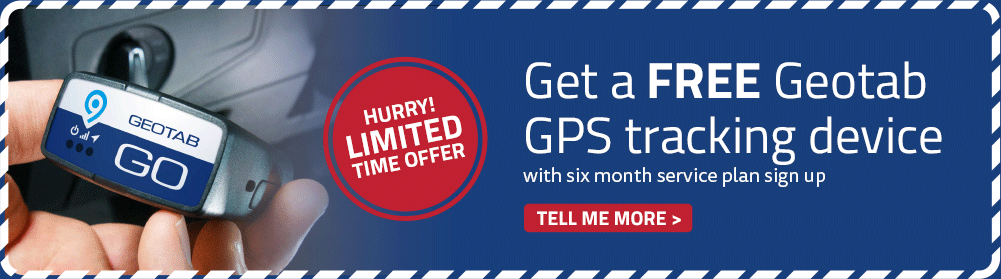
The Geotab GO device helps fleets manage ELD compliance with accurate vehicle data, reliable trip tracking, and seamless reporting. Built with advanced processing power, extra memory, and motion-sensing technology, this compact device supports both heavy-duty and light-duty vehicles with dependable performance and precision.


Accurate HOS Tracking
Automated status and hours updates
Reliable HOS tracking is essential for ELD compliance. Geotab automatically records driving time, rest periods, and duty status changes to help maintain accurate Hours of Service logs. Fleet teams can monitor driver availability in real time while supporting multiple rulesets and exemptions for operations across the U.S. and Canada.
Real-Time HOS Visibility
Monitor driver hours instantly
Stay informed with real-time visibility into your drivers’ Hours of Service. A centralized dashboard lets you quickly monitor duty status, driving time, remaining hours, and required breaks, helping your team make faster decisions and maintain smoother ELD compliance.

Flexible ELD Integration and Customization
Get more value from your ELD system with Geotab’s open APIs and Software Development Kit. Easily connect with partner solutions, customize workflows, and integrate fleet data with the tools your business already uses.
Cross-Border ELD Compliance
Manage compliance confidently across the U.S. and Canada with support for more than 100 HOS rulesets and exemptions. Whether your fleet operates intrastate, runs short-haul routes, or qualifies for agricultural exemptions, Geotab helps adapt your Hours of Service tracking to fit your specific operating requirements.
Cross-Border ELD Compliance
Seamless U.S.–Canada rule transitions
Support cross-border operations with ELD compliance software that automatically adapts to regional requirements. Geotab helps fleets stay compliant across the U.S and Canada by switching between more than 100 HOS rulesets as drivers move between jurisdictions. From intrastate operations and short-haul exemptions to extended 16-hour workdays, the system supports complex compliance needs while real-time alerts help your team monitor cross-border activity and reduce operational risk.


Vehicle Inspection Tools
Simplified DVIR compliance
Improve fleet safety with mobile DVIR tools for pre-trip and post-trip inspections. Customize inspection checklists based on vehicle type and regulatory needs to support consistent, compliant reporting. Real-time alerts notify your team when inspections are completed or vehicle issues are found, helping you respond quickly and keep operations moving.
Driver Log Management
Automated log tracking and certification
Simplify ELD compliance with automatic log updates based on vehicle activity, border crossings, and key operating events. Drivers can review, edit, and annotate their logs directly in the mobile app to help maintain accurate records. Built-in reminders also prompt drivers to certify logs and claim unassigned driving time, reducing admin work and keeping your fleet audit-ready.


Proactive Compliance Alerts
Help prevent violations before they happen
Stay ahead of potential compliance issues with real-time alerts and notifications. Geotab helps notify your team when drivers are approaching or exceeding HOS limits, allowing managers to act early, reduce violations, improve safety, and maintain smoother ELD compliance across the fleet.
Compliance Reporting Tools
Automated ELD reports and insights
Stay audit-ready with built-in reporting tools designed for ELD compliance. Generate accurate reports for driver hours, rest periods, work limits, and activity records with less manual effort. Comprehensive audit trails, including driver activity and sleeper berth status, give your team clear visibility while helping simplify compliance management and inspection preparation.

Frequently Asked Questions
Understanding ELD compliance can be challenging, especially with changing regulations, certification requirements, and cross-border operations. Whether you manage a fleet, operate your own vehicle, or oversee safety and compliance, you may have questions about how ELD compliance software works and what your business needs to stay compliant.
This FAQ section provides clear, practical answers to help you understand ELD requirements, choose the right compliance tools, prepare for inspections, and manage driver logs with confidence. If you need more information, our team is always ready to help.
What is an ELD and why does it matter?
An ELD connects to a vehicle’s engine to automatically record driver Hours of Service. It helps keep driving records accurate, reduces manual paperwork, and supports safer fleet operations.
Is ELD compliance required?
Yes, many commercial fleets are required to use ELDs to track Hours of Service. ELD compliance software helps simplify this process by keeping driver logs organized, accurate, and easier to access.
Who needs to use an ELD?
Most commercial drivers who are required to maintain Hours of Service records need an ELD. This is especially important for fleets managing long-haul routes, regulated operations, or cross-border travel.
Are there exemptions to ELD requirements?
Yes, some drivers or vehicles may qualify for exemptions depending on route type, vehicle age, or operating conditions. A reliable ELD platform can help support different rulesets and exemptions when needed.
What are the benefits of ELD compliance software?
ELD compliance software helps reduce paperwork, improve log accuracy, simplify inspections, and lower the risk of violations. It also gives fleet managers better visibility into driver hours, availability, and compliance status.
What information does an ELD record?
An ELD records key details such as date, time, vehicle location, engine hours, mileage, driver identification, and duty status changes.
How often does an ELD track location?
ELDs record location data at regular intervals while the vehicle is in operation, as well as during important events like engine start, engine shutdown, and duty status changes.
Can drivers change their driving time?
Driving time is automatically captured by the ELD and cannot be directly edited. This helps protect the accuracy of driver logs and prevents unauthorized changes.
Do ELDs show exact street addresses?
ELDs generally use approximate location data rather than exact street addresses. This provides the information needed for compliance while keeping location records practical and standardized.
What makes an ELD system compliant?
A compliant ELD system must meet the required technical standards for recording, storing, and transferring Hours of Service data. It should also support accurate reporting, driver log management, and roadside inspections.
Can a smartphone or tablet be used with an ELD?
Yes, many ELD systems use a smartphone or tablet as the driver interface, as long as the software and connected hardware meet compliance requirements.
Can ELD software support cross-border operations?
Yes, advanced ELD compliance software can support fleets operating across different regions by adapting to multiple rulesets and helping drivers manage logs more accurately.
Can a driver have multiple accounts?
Each driver should use a single assigned account with their carrier to keep logs accurate and avoid duplicate records.
What happens if a driver uses more than one vehicle?
Drivers can log into the system from different vehicles as needed. Their Hours of Service records stay connected to their driver profile, helping maintain accurate logs across the fleet.
What should I look for in ELD compliance software?
Look for software that is easy to use, reliable, secure, and built to support HOS tracking, driver log management, DVIRs, roadside inspections, reporting, alerts, and fleet visibility.
What happens during a roadside inspection?
During a roadside inspection, drivers can present or transfer their ELD records through the mobile app. This helps inspectors review Hours of Service information quickly and reduces delays.
What happens if a fleet does not use a compliant ELD?
Using a non-compliant system can increase the risk of violations, fines, failed inspections, and operational delays. A reliable ELD solution helps keep records organized and inspection-ready.
How long are ELD records stored?
- ELD records are stored so fleets can access past driver logs, reports, and audit trails when needed. This makes it easier to review activity, prepare for audits, and manage compliance documentation.
What should drivers do if an ELD stops working?
Drivers should report the issue right away and follow their company’s backup logging process until the system is restored. Once the ELD is working again, records should be updated as needed.
How does ELD compliance improve safety?
ELD compliance helps reduce fatigue-related risks by tracking driving hours, rest periods, and duty status. With real-time alerts and better visibility, fleets can make safer decisions and support responsible driving habits.